
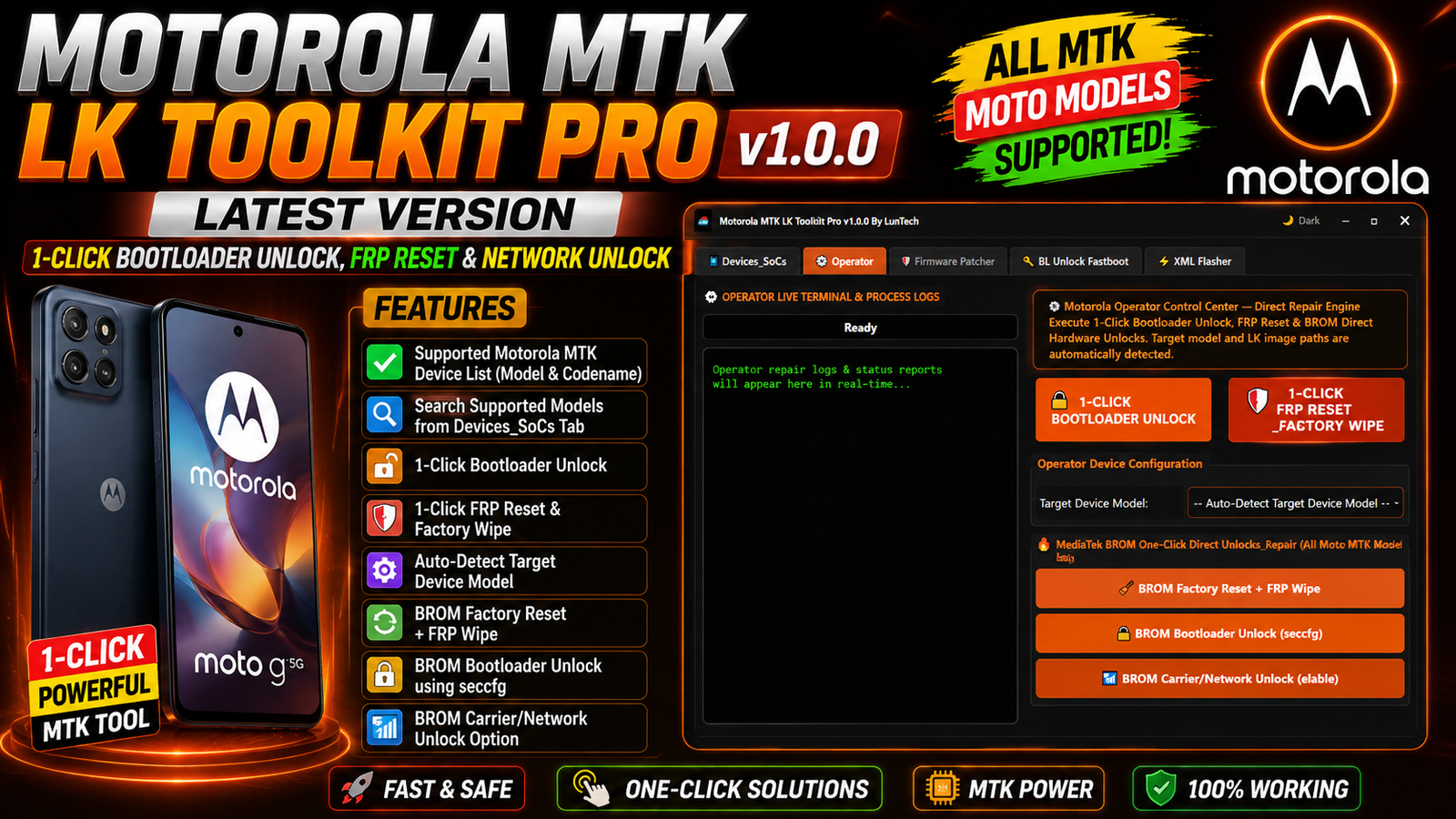
Motorola MTK LK Toolkit Pro v1.0.0 is a new utility by LunTech designed for servicing supported Motorola MediaTek (MTK) smartphones. The tool combines bootloader-related operations, FRP reset, factory reset, BROM functions, LK firmware patching, unlock-key utilities, and Motorola XML firmware flashing in one interface.
The latest release, Motorola MTK LK Toolkit Pro v1.0.0, introduces dedicated sections for Motorola MTK devices, including a searchable device database, Operator functions, Firmware Patcher, BL Unlock Fastboot, and XML Flasher.
If you work with supported Motorola MTK phones, this toolkit can make common servicing operations more organized by bringing several functions into a single Windows application.
For more information: official website.
Main Tools
- Devices_SoCs Tool – Search and identify supported Motorola MTK models by model number and codename.
- Operator Tool – Provides Bootloader Unlock, FRP Reset, Factory Reset, and BROM operations.
- Firmware Patcher – Patch
lk.img,lk2.img, andpreloader.binfirmware files. - BL Unlock Fastboot – Read Fastboot information, detect serial numbers, generate unlock keys, and verify keys.
- XML Flasher – Flash Motorola firmware using
flashfile.xmlandservicefile.xml. - BROM / MTKClient Tool – Perform supported BROM flashing, FRP, factory reset, and bootloader operations.
- Live Terminal & Logs – Display real-time operation status, commands, and process logs.
Key Features
Motorola MTK LK Toolkit Pro v1.0.0 offers the following key features:
- Supported Motorola MTK device list with model numbers and codenames.
- Search supported models from the Devices_SoCs tab.
- 1-Click Bootloader Unlock.
- 1-Click FRP Reset and Factory Wipe.
- Automatic target device model detection.
- BROM Factory Reset and FRP Wipe.
- BROM Bootloader Unlock using seccfg.
- BROM Carrier/Network Unlock option.
- Patch
lk.img,lk2.img, andpreloader.bin. - Patch LK Only.
- Flash LK to Fastboot.
- BROM Flash through MTKClient.
- Firmware Patcher with multiple available operations.
- Auto Code-Cave + Entry Hook payload injection.
- Fastboot device information reading.
- Automatic Fastboot serial number detection.
- Manual Serial Number, IMEI, Chip ID, and Model input fields.
- Unlock Key Generator.
- Unlock Key Verifier.
- Direct Bootloader Unlock option.
- Direct FRP operation.
- Motorola XML firmware flashing.
- Support for
flashfile.xmlandservicefile.xml. - Comserver / FRP Reset_Wipe fixing functions.
- Live terminal and process logs.
Supported Functions
The supported functions of Motorola MTK LK Toolkit Pro v1.0.0 include:
Bootloader Functions:
- 1-Click Bootloader Unlock
- BROM Bootloader Unlock
- Fastboot Bootloader Unlock
- Unlock using seccfg
- Generate Unlock Key
- Verify Unlock Key
- Patch LK
- Flash LK to Fastboot
FRP & Reset Functions:
- 1-Click FRP Reset
- FRP Wipe
- BROM FRP Wipe
- Factory Reset
- BROM Factory Reset
- Direct FRP
- Comserver / FRP Reset_Wipe Fix
BROM Functions:
- BROM device operations
- BROM Flash via MTKClient
- BROM Factory Reset
- BROM FRP Wipe
- BROM Bootloader Unlock
- Carrier/Network Unlock option
Firmware Patching:
The Firmware Patcher supports operations involving:
lk.imglk2.imgpreloader.bin- LK-only patching
- Unlock Gate
- FRP Bypass
- Secure Boot
- Strip Certs
- Auto Code-Cave
- Entry Hook
- Bypass Payload Injection
Fastboot Functions:
- Read Fastboot device information
- Automatically read serial number
- Detect target model
- Manual Serial Number input
- Manual IMEI input
- Manual Chip ID input
- Manual Model input
- Generate Unlock Key
- Unlock Key Verification
XML Firmware Functions:
The XML Flasher supports Motorola firmware packages using:
flashfile.xmlservicefile.xml
It can also read Fastboot-related information from the XML Flasher section.
What’s New in v1.0.0:
Motorola MTK LK Toolkit Pro v1.0.0 is the initial release by LunTech.
The first version introduces:
- Added Devices_SoCs section with a searchable Motorola MTK model database.
- Added Operator functions for bootloader operations.
- Added FRP and factory reset functions.
- Added BROM operations.
- Added Firmware Patcher for LK, LK2, and preloader files.
- Added BL Unlock Fastboot section.
- Added Fastboot device reading functions.
- Added Unlock Key generation and verification.
- Added XML Flasher for Motorola
flashfile.xmlandservicefile.xmlpackages. - Added live terminal and process logging for supported operations.
Supported Motorola Models:
The provided device list includes a wide range of Motorola MTK models and codenames:
- XT2133-1 — Moto G60s [lisbon]
- XT2139-1 — Moto Edge 20 Lite [kyoto]
- XT2149-1 — Moto G50 5G (2021) [saipan]
- XT2163-1 — Moto G Pure [borneo]
- XT2165-5 — Moto G Power (2022) [tongaa]
- XT2167-1 — Moto G41 [corfu]
- XT2173-3 — Moto G31 [wight]
- XT2205-3 — Moto Edge (2022) [dubai]
- XT2211-2 — Moto G Stylus (2022) [milanf]
- XT2213-3 — Moto G 5G (2022) [austin]
- XT2237-1 — Moto G73 5G (2023) [devon]
- XT2255-3 — Moto G72 [victoria]
- XT2271-5 — Moto G Play (2023) [rhodep]
- XT2303-2 — Moto Edge 40 (2023) [lyriq]
- XT2305-1 — Moto Edge (2023) [rtwo]
- XT2307-1 — Moto Edge 40 Neo 5G [manaus]
- XT2311-3 — Moto G Power 5G (2023) [denver]
- XT2317DL — Moto G Stylus (2023) [genealogic]
- XT2343-1 — Moto G54 5G [cancunf]
- XT2409-2 — Moto Edge 50 Neo 5G (2024) [pnangf]
- XT2413-1 — Moto G Play 5G [scout]
- XT2415-5 — Moto G Power 5G (2024) [ruby5g]
- XT2431-1 — Moto G64 5G [devonf]
- XT2435-1 — Moto G55 5G (2024)
- XT2453-1 — Moto Razr 50 / Razr (2024)
- XT2503-1 — Moto Edge 60 Fusion
- XT2503-2 — Moto Edge 60 Fusion
- XT2505-3 — Moto Edge 60
- XT2507-1 — Moto Edge 60 Pro
- XT2509-1 — Moto Edge 60 Neo
- XT2513-1 — Moto G 5G (2025)
- XT2515-2 — Moto G Power 5G (2025)
- XT2519-1 — Moto Edge (2025)
- XT2527-1 — Moto G86 5G
- XT2527-2 — Moto G86 5G
- XT2527-6 — Moto G86 Power 5G
- XT2529-1 — Moto G56 5G (2025)
- XT2529-3 — Moto G66j 5G
- XT2553-1 — Moto Razr 60 / Razr (2025)
- XT2607-2 — Moto Edge 70 Pro
- XT2613-1 — Moto G (2026)
- XT2615-1 — Moto G Play (2026)
- XT2621-3 — Moto G67 (2026) / Moto G77 5G
- XT2625-5 — Moto G47 5G
- XT2625-6 — Moto G37
Note: Always verify the exact model, chipset, firmware version, and compatibility before performing any bootloader, FRP, network, or firmware operation. Some functions may depend on the device security level and software version.
Technical Setup Details
- Operating System: Windows 10 or Windows 11.
- Processor: Intel/AMD processor with standard Windows support.
- RAM: 4 GB minimum; 8 GB recommended.
- Storage: At least 500 MB free space for the tool and required files.
- USB Drivers: Install the required Motorola and MediaTek USB drivers.
- USB Cable: Use a good-quality USB data cable for stable communication.
- Supported Devices: Compatible Motorola smartphones using supported MediaTek chipsets.
- Administrator Access: Run the toolkit as Administrator for proper access to device drivers and system functions.
- Firmware Files: Keep the correct Motorola firmware available when using the Firmware Patcher or XML Flasher.
- XML Packages: Use compatible
flashfile.xmlorservicefile.xmlfiles for XML flashing. - MTKClient: Required for supported BROM/MTKClient operations.
- Internet: May be required for certain online or unlock-key related functions.
- Battery: Keep the device sufficiently charged before starting any service operation.
- USB Connection: Avoid disconnecting the device during flashing or other firmware operations.
How to Install Motorola MTK LK Toolkit Pro v1.0.0
Follow these steps to install and run the tool:
- Download the Motorola MTK LK Toolkit Pro v1.0.0 By LunTech.zip package.
- Extract the ZIP file using WinRAR, 7-Zip, or another archive utility.
- Open the extracted Motorola MTK LK Toolkit Pro v1.0.0 By LunTech folder.
- If the package contains an additional software folder, open it.
- Find Motorola MTK LK Toolkit Pro v1.0.0 By LunTech.exe.
- Right-click the EXE file.
- Select Run as administrator.
- If Windows SmartScreen displays a warning, review the source and proceed only if you trust the software.
- Once the application opens, select the required module.
- Connect the supported Motorola MTK device in the required mode.
- Read the device information before starting any service operation.
- Select the appropriate function and follow the on-screen process.
Motorola MTK LK Toolkit Pro v1.0.0 Latest Version is a feature-rich Windows utility for supported Motorola MediaTek devices. Its main modules include Devices_SoCs, Operator, Firmware Patcher, BL Unlock Fastboot, and XML Flasher, giving technicians a centralized interface for various device-service tasks.
The initial LunTech release adds searchable Motorola model support, Fastboot information reading, unlock-key utilities, LK/LK2/preloader patching, BROM functions, FRP and factory reset options, and Motorola XML firmware flashing.
If you regularly service compatible Motorola MTK smartphones, the toolkit provides a convenient collection of functions in one application. Before using it, always verify device compatibility and select the correct operation for the exact Motorola model and firmware version.
Read Also: Tecno Infinix Itel Fastboot Info Tool 2026