
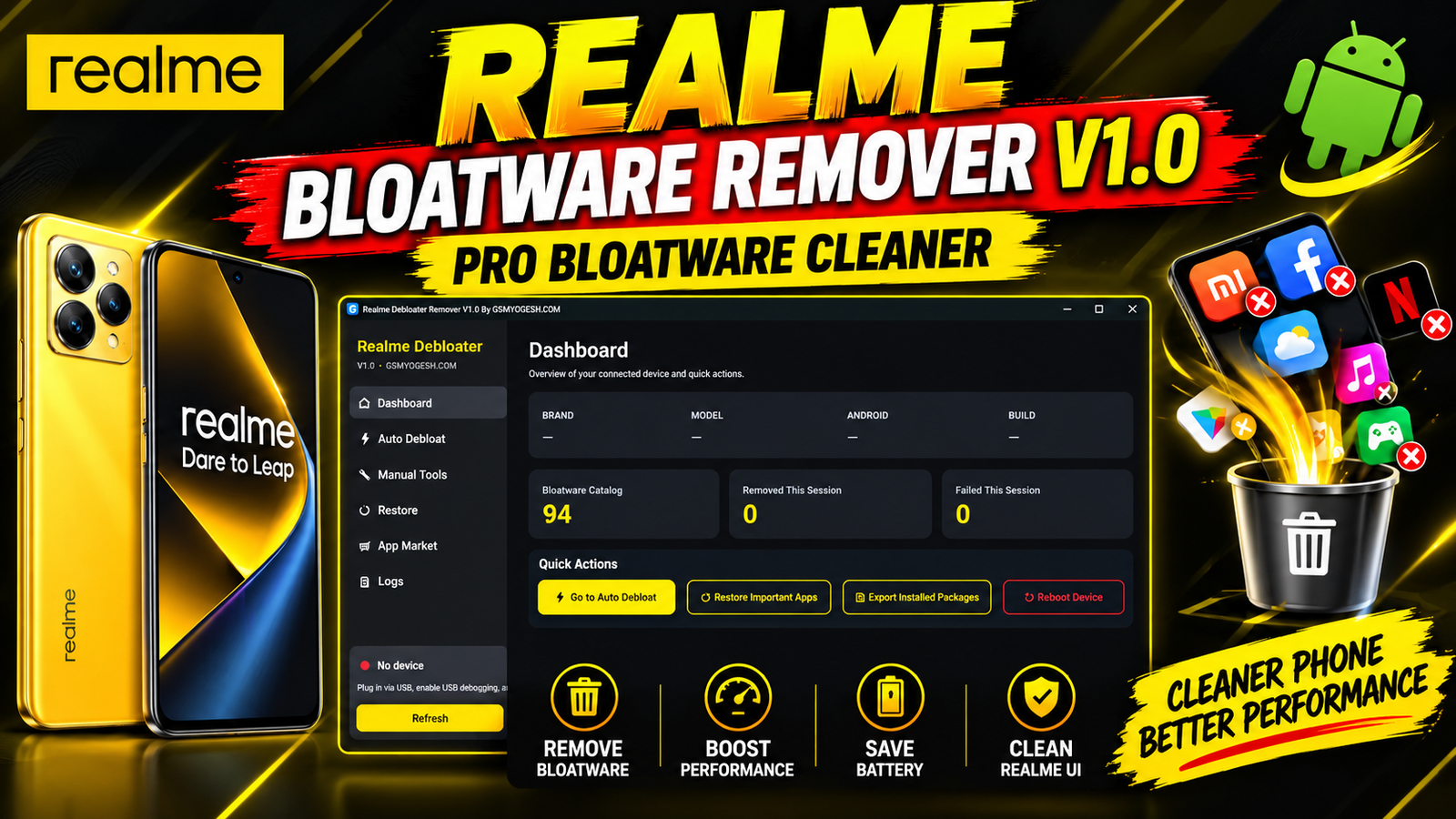
Realme Bloatware Remover V1.0 is a Windows-based utility designed to help Android users and technicians manage unwanted applications on Realme devices. The tool provides a simple dashboard that displays important phone information and offers dedicated options for removing, restoring, and managing selected system applications through ADB.
The utility includes an Auto Debloat feature with a checklist of 94 known bloatware packages arranged into different categories. Users can select the packages they want to remove instead of manually entering every command.
Realme Bloatware Remover V1.0 also includes Manual Tools for working with specific package names, a Restore section for bringing back removed applications, an option to disable or re-enable the Oppo/HeyTap App Market, and a live log window that displays actions performed by the program.
For more information: official website.
Main Tools
- Device Dashboard
- Auto Debloat
- Manual App Removal
- App Restore
- Backup Restore
- Oppo/HeyTap App Market Control
- ADB Device Detection
- Live Action Log
- Package Management
- System App Management
Key Features
1. Device Information Dashboard
Realme Bloatware Remover V1.0 starts with a useful Dashboard where users can view basic information about the connected Android device. The dashboard displays the brand, model, Android version, and build number.
2. 94 Package Auto Debloat List
The Auto Debloat section is one of the main features of this release. It provides a checklist containing 94 known bloatware packages. These packages are organized into categories, making it easier to identify and select unwanted applications.
3. Manual Package Management
Advanced users can use the Manual Tools section to enter the exact package name of an application. This provides more flexibility when working with a package that is not included in the automatic debloat list.
4. System App Restore
Removing system applications should always be done carefully. The Restore screen provides options to bring back important applications with a simple operation. It can also restore everything from a supported backup file.
5. Oppo/HeyTap App Market Switch
The tool provides a separate switch for the Oppo/HeyTap App Market, allowing users to disable or re-enable it when needed.
6. Live Operation Log
A live log window displays actions while the application is running. This gives users better visibility into what the utility is doing during package management operations.
Supported Functions
Realme Bloatware Remover V1.0 supports the following functions:
- Detect connected Realme Android devices
- Display device brand and model
- Display Android version
- Display build number
- Refresh connected-device information
- Auto debloat selected packages
- Manage packages from the 94-package checklist
- Remove applications using exact package names
- Restore supported system applications
- Restore applications from a backup file
- Disable Oppo/HeyTap App Market
- Re-enable Oppo/HeyTap App Market
- Monitor operations through the live log window
- Communicate with the phone through ADB
Technical Setup Details
- Tool Name: Realme Bloatware Remover
- Version: V1.0
- Platform: Windows
- File Type: Single EXE application
- Installer: Not required
- Communication: ADB
- Required Component: Android Platform Tools
- ADB: Must be available through Windows PATH
- Phone Requirement: Android device with USB Debugging enabled
- Connection: USB cable
- Authorization: USB Debugging permission must be accepted on the phone
- Recommended: Back up important data before modifying system packages
How to Install Realme Bloatware Remover V1.0
The tool does not require a traditional installation process because it runs as a single EXE file.
Step 1 – Download the Tool
Download the Realme Bloatware Remover V1.0 application from the provided download link.
Step 2 – Save the EXE File
Save the downloaded EXE file anywhere on your Windows computer. There is no installer required.
Step 3 – Install Android Platform Tools
Download Android Platform Tools, which includes ADB. Extract the Platform Tools folder and add its location to the Windows PATH environment variable.
This is required because Realme Bloatware Remover communicates with the Android phone through ADB.
Step 4 – Enable Developer Options
On your Android phone, open Settings and enable Developer Options.
Inside Developer Options, enable:
USB Debugging
Step 5 – Connect Your Phone
Connect the Realme phone to the computer using a working USB cable.
When the phone displays the:
“Allow USB Debugging?”
message, accept the authorization request.
Step 6 – Open Realme Bloatware Remover
Run the Realme Bloatware Remover V1.0 EXE file.
Click Refresh from the sidebar. If the ADB connection is working correctly, your phone’s brand and model should appear on the Dashboard.
Step 7 – Use Auto Debloat
Open the Auto Debloat section.
Review the available packages and select the applications you want to remove.
Finally, click Start and monitor the operation through the live log window.
Realme Bloatware Remover V1.0 is a useful Windows utility for managing unwanted applications on compatible Realme Android devices through ADB. Its main features include a device information Dashboard, 94-package Auto Debloat, Manual Tools, Restore functions, Oppo/HeyTap App Market control, and a live operation log.
The single-EXE design means there is no complicated installation wizard. However, Android Platform Tools, ADB, USB Debugging, and proper device authorization are required before using the application.
For technicians and advanced Android users, the combination of automatic and manual package management provides a straightforward way to handle supported bloatware operations while keeping restore options available.
Read Also: ON FIRE TOOL v2.9