
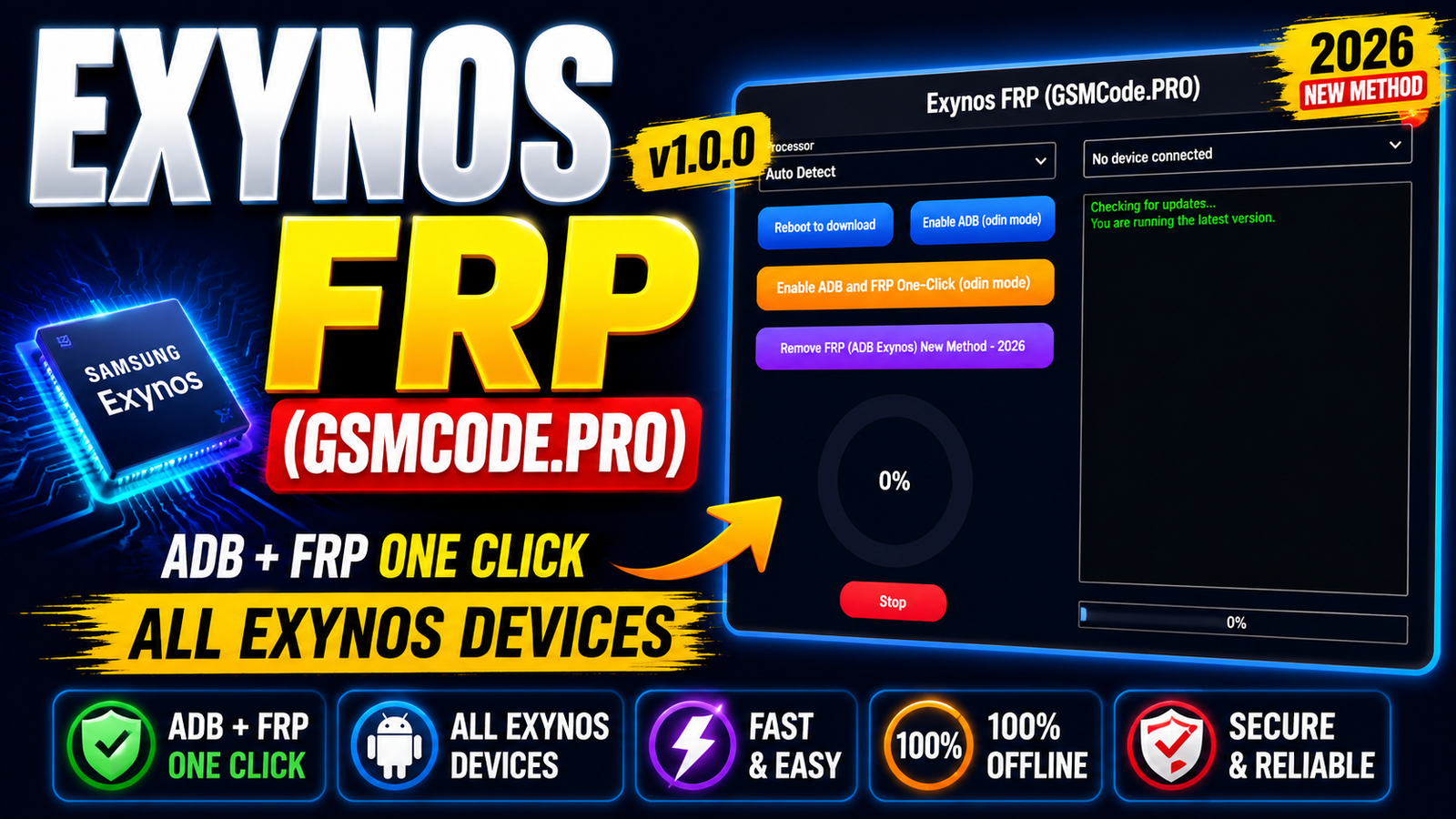
Exynos FRP GSMCode.PRO v1.0.0 is a Windows-based utility designed for technicians working with Samsung and other compatible devices powered by Exynos processors. The tool provides an easy-to-use interface with automatic Exynos processor detection device connection monitoring Odin Mode options ADB-related functions live progress information and real-time logs.
The latest version introduces a new Remove FRP (ADB Exynos) method for 2026 along with an Enable ADB and FRP One-Click option for supported Odin Mode devices. It is also designed as an offline utility with the required files included in the package.
If you are looking for an Exynos FRP Tool 2026 with a simple interface and useful device-management functions GSMCode.PRO v1.0.0 is worth knowing about.
For more information: official website.
Main Tools
The main components and options available in Exynos FRP GSMCode.PRO v1.0.0 include:
- Exynos Processor Auto Detect – Automatically identifies compatible Exynos devices.
- Device Connection Detection – Displays the current device connection status.
- Reboot to Download – Provides an option to reboot a supported device into Download Mode.
- Odin Mode ADB Function – Includes an option to enable ADB through Odin Mode on supported devices.
- ADB and FRP One-Click – Combines supported operations into a simple one-click workflow.
- Live Progress Display – Shows the current operation percentage.
- Real-Time Log Window – Displays operation messages and status information.
- Stop Button – Allows the current process to be stopped when supported.
- Offline Operation – Required files are included with the tool package.
Key Features
1. Exynos Processor Auto Detection:
The software includes an automatic Exynos processor detection feature. This makes device identification easier before starting a supported operation.
2. Device Connection Detection:
The tool continuously provides device connection information so technicians can quickly determine whether the connected device has been detected.
3. Reboot to Download Mode:
A dedicated Reboot to Download option is included for compatible devices. This can simplify preparation for supported servicing operations.
4. Enable ADB Through Odin Mode:
One of the notable functions is the ability to work with ADB-related functionality through Odin Mode on supported Exynos devices.
5. ADB and FRP One-Click Option:
The latest release includes an Enable ADB and FRP One-Click option for supported Odin Mode devices. This gives the interface a more straightforward workflow for technicians.
6. Live Progress Percentage:
During supported operations, the software displays a live percentage indicator. This helps users monitor the current progress instead of relying only on log messages.
7. Horizontal Progress Bar:
A horizontal progress bar provides an additional visual indication of the current operation.
8. Real-Time Log Window:
The built-in log window displays operation messages in real time. This can be useful for understanding the current stage of a process and identifying errors.
9. Stop Button:
A Stop button is included to stop the current process when the operation allows it.
10. Offline Utility:
Exynos FRP GSMCode.PRO v1.0.0 is presented as an offline tool with the required files included, which can make setup more convenient for technicians working without an online service.
Supported Functions
The main supported functions listed for Exynos FRP GSMCode.PRO v1.0.0 are:
- Exynos processor auto detection
- Device connection detection
- Reboot to Download Mode
- Enable ADB through Odin Mode
- Enable ADB and FRP One-Click
- Remove FRP (ADB Exynos) new method for 2026
- Live operation progress
- Horizontal progress bar
- Real-time operation logs
- Stop current process
- Offline operation with included files
Note: Actual compatibility can vary by device model, Android version, security patch, Exynos chipset generation, and software/build version. Always verify compatibility before performing any servicing operation.
What’s New in Exynos FRP GSMCode.PRO v1.0.0:
The GSMCode.PRO v1.0.0 release includes several important additions:
- Added Remove FRP (ADB Exynos) New Method – 2026.
- Added Enable ADB and FRP One-Click for Odin Mode.
- Added Exynos Processor Auto Detect.
- Added device connection status detection.
- Added live operation progress percentage.
- Added horizontal progress bar.
- Added real-time log window.
- Added a Stop button for the current operation.
- Included required files for offline use.
These changes make the new release more organized and easier to use compared with a basic command-based workflow.
Technical Setup Details
- Tool Name: Exynos FRP (GSMCode.PRO)
- Version: v1.0.0
- Platform: Windows PC
- Processor Support: Exynos-based devices
- Connection: USB Cable
- Device Mode: Odin / Download Mode
- ADB Support: Available for supported Exynos devices
- Operation Mode: Offline
- Required Files: Included with the tool package
- Installation: Windows Installer
- Administrator Rights: Required
- Progress System: Live percentage and horizontal progress bar
- Log System: Real-time operation logs
- Device Detection: Automatic Exynos processor and connection detection
- Security: Keep Windows Defender/antivirus enabled and verify the installer before use
- Compatibility: Depends on device model, Exynos chipset, Android version, and security patch level.
How to Install Exynos FRP GSMCode.PRO v1.0.0
Follow these general installation steps:
- Download the Exynos FRP GSMCode.PRO v1.0.0 installer from this website.
- Right-click the installer.
- Select Run as administrator.
- Choose the installation folder, or keep the default location.
- Keep the desktop shortcut option enabled if you want a shortcut.
- Click Install.
- Wait for the installation process to complete.
- On the final setup screen, uncheck the launch option if you do not want to start the program immediately.
- Click Finish.
- When you want to use the software, open the desktop shortcut with administrator privileges.
After installation, make sure the required device drivers are installed and that Windows can properly detect the connected device.
Exynos FRP GSMCode.PRO v1.0.0 is a Windows utility focused on Exynos device servicing with features including processor auto detection device connection detection, Download Mode support ADB-related options live progress monitoring real-time logs, and offline operation.
The latest release adds the Remove FRP (ADB Exynos) New Method – 2026 and Enable ADB and FRP One-Click options for supported devices. Its straightforward interface and built-in progress monitoring can make it useful for technicians who regularly work with compatible Exynos devices.
Before using any third-party servicing utility always confirm device compatibility use trusted software sources maintain proper backups where possible and keep your computer’s security protections enabled.
Read Also: UMTv2/UMTPro UltimateMTK2 v3.6