
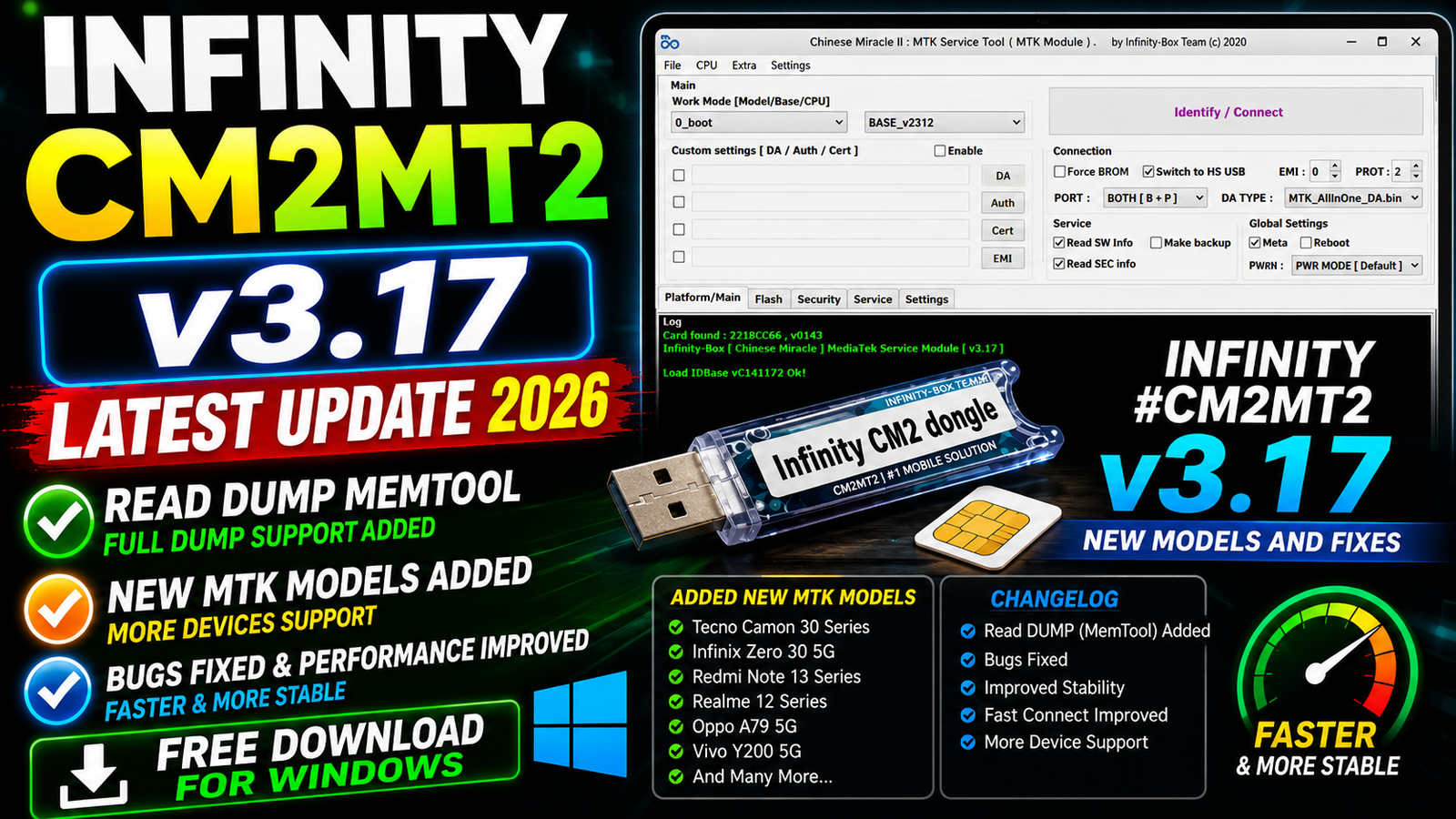
The latest CM2MT2 update includes performance improvements as well as new device support. The developers have updated the internal model loading method to help the software start faster.
The bootpack download process has also been simplified. Unnecessary questions have been removed, making the process more straightforward for technicians.
Another important improvement is the rebuilt MemTool, which now includes the new Read DUMP function and a simplified interface.
For more information: official website.
Main Tools
Infinity CM2MT2 is designed as a MediaTek servicing solution for mobile repair professionals. The major tools and improvements available in v3.17 include:
- MemTool
- Read DUMP
- Preloader Backup and Restore
- Scatter File Loading
- Bootpack Download
- MediaTek device detection
- Partition reading support
- Large partition reading improvements
- Updated model database
- Improved key management
- Updated Hisense device methods
- MTK model loading improvements
- Firmware and partition-related servicing functions
The updated MemTool is one of the main highlights of this release because it has been rebuilt and simplified for easier operation.
Key Features
1. Faster Software Startup
The model loading method has been updated in CM2MT2 v3.17. This improvement allows the software to start faster and load the required device information more efficiently.
2. Updated Hisense Methods
The latest version includes updated methods for supported Hisense devices. This improves compatibility with the newer and updated Hisense models included in the database.
3. Simplified Bootpack Download
The bootpack file download process has been simplified. The update removes unnecessary questions during bootpack downloading, helping technicians complete the process with fewer interruptions.
4. New Read DUMP Function
A major addition in Infinity CM2MT2 v3.17 is the new Read DUMP function.
The Read DUMP feature is included as part of the rebuilt MemTool and provides an additional memory-reading option for supported MediaTek devices.
5. Improved keys.json Management
The creation and saving process of keys.json has been updated.
Available keys are now saved during startup even when the overall process fails. This makes key management more reliable and helps prevent available key information from being lost.
6. Preloader Backup Restore Fix
The developers have fixed a Preloader Backup Restore issue affecting some devices. This should provide better reliability when working with supported devices.
7. Simplified Scatter Loading
The extra EMI selection question has been removed when loading scatter files. This makes scatter file loading simpler and reduces unnecessary steps during servicing.
8. Free Drive Space Check
CM2MT2 v3.17 now checks available drive space before reading large partitions.
This is a useful improvement because large partition operations can require significant storage space. Checking free space before starting the operation can help avoid unnecessary failures.
9. Rebuilt MemTool
The MemTool module has been rebuilt and simplified in the new version.
The updated MemTool provides a cleaner workflow and includes the new Read DUMP function, making it one of the most important improvements in this release.
Supported Functions
The following functions and improvements are available in Infinity CM2MT2 v3.17, depending on the connected device and supported chipset:
- Read DUMP
- MemTool operations
- Preloader Backup
- Preloader Restore
- Scatter File Loading
- Bootpack Download
- MTK model detection
- Partition reading
- Large partition reading
- Key information saving
- Updated Hisense methods
- Improved model loading
- Updated device database
Some functions can depend on the specific MediaTek chipset, firmware version, security configuration, and available device loaders.
New and Updated Models in CM2MT2 v3.17:
The v3.17 release adds or updates support for a large number of MediaTek-based smartphones and tablets.
Ulefone
- Ulefone Armor Pad 5 Ultra
Beeone
- Beeone K510
Tecno
- Tecno CN5
- Tecno KM6
Infinix
- Infinix X6881 / 2026-01
Motorola
- Moto G06
Digit
- Digit 4G-Z1
TCL
- TCL T509
- TCL T433D
- TCL T433D1
- TCL T433E
- TCL T767H
- TCL T767G
- TCL T767W
- TCL T506
- TCL T507
- TCL T506F
- TCL T506G_T
- TCL T506K
- TCL 8194A
- TCL T776
- TCL 8491X
- TCL T771
- TCL T771K3
- TCL 8196G
- TCL 8496G_T
- TCL Ladybird
- TCL 8193A
- TCL 8193A1
- TCL 9491G
- TCL T613
- TCL Ares 11
- TCL 8188
- TCL 8188X1
- TCL T702D
Other New/Updated Models
- Lush-Mint LM5518R
- AirTab Mini17
- Oukitel WP62
- Modoex Note9
- Okapi Tab8-Pro B19
Modio
CM2MT2 v3.17 also adds or updates a large number of Modio models:
- Modio M5
- Modio M25
- Modio M29
- Modio M33
- Modio M36
- Modio M38
- Modio M39
- Modio M40
- Modio M43
- Modio M47
- Modio M59
- Modio M60
- Modio M61
- Modio M62
- Modio M63
- Modio M65
- Modio M66
- Modio M68
- Modio M69
- Modio M71
- Modio M72
- Modio M76
- Modio M77
- Modio M125
- Modio M127
- Modio M128
- Modio M129
- Modio M130
- Modio M132
- Modio M133
- Modio M134
- Modio M135
- Modio M190
- Modio M750
- Modio M794
- Modio M795
- Modio M796
- Modio M797
- Modio M798
- Modio MB17-Mini
- Modio Notepad8
Technical Setup Details
- Operating System: Windows 10 / Windows 11
- Processor: Intel or AMD processor
- RAM: Minimum 4 GB recommended
- Storage: Keep enough free disk space for large partition reading and DUMP files
- USB Port: Working USB 2.0/3.0 port
- USB Cable: Good-quality USB data cable
- MTK Drivers: Install the required MediaTek USB/VCOM drivers
- Software: Infinity CM2MT2 v3.17
- Internet: Required for bootpack downloads and online-related operations
- Device: Supported MediaTek smartphone or tablet
- Permissions: Run the software with Administrator privileges when required
- Bootpack: Use the correct bootpack/loader for the connected device
- Scatter File: Use the correct scatter file when performing scatter-based operations
- Disk Space: Check available storage before reading large partitions
- Connection: Keep the USB connection stable during Read DUMP, backup, restore, or partition operations
- Backup: Create a proper backup before performing advanced servicing operations
- Compatibility: Available functions depend on the device model, chipset, firmware, and security level.
How to Install Infinity CM2MT2 v3.17
Follow these general steps to install the latest CM2MT2 version:
Step 1: Download the Latest Version
Download the Infinity CM2MT2 v3.17 package from this website.
Step 2: Extract the Files
After downloading the package, extract it using a suitable archive utility such as 7-Zip or WinRAR.
Step 3: Run the Setup
Open the extracted folder and run the CM2MT2 setup or executable file.
If Windows asks for permission, allow the application to run.
Step 4: Install Required Drivers
Make sure the required MediaTek USB drivers are installed correctly on your Windows PC.
Restarting the computer after driver installation can help Windows load the drivers correctly.
Step 5: Open CM2MT2
Launch Infinity CM2MT2 v3.17 and allow the software to complete its startup process.
The new model-loading system is designed to make startup faster.
Step 6: Connect the MTK Device
Connect the supported MediaTek device using a reliable USB cable and select the appropriate operation inside CM2MT2.
Always use the correct procedure for the specific device model.
Infinity CM2MT2 v3.17 Latest Update 2026 is an important release for MediaTek servicing. The update improves the overall software experience with faster model loading, simplified bootpack downloads, updated Hisense methods, better key management, and a fixed Preloader Backup Restore issue.
The biggest highlight is the rebuilt MemTool with the new Read DUMP function. The addition of many new and updated MTK models also makes CM2MT2 v3.17 a valuable update for mobile repair technicians.
If you work with MediaTek smartphones and tablets, updating to the latest CM2MT2 v3.17 can provide improved compatibility, a simpler workflow, and access to the latest supported device models.
Read Also: Firmware Extractor 2026