
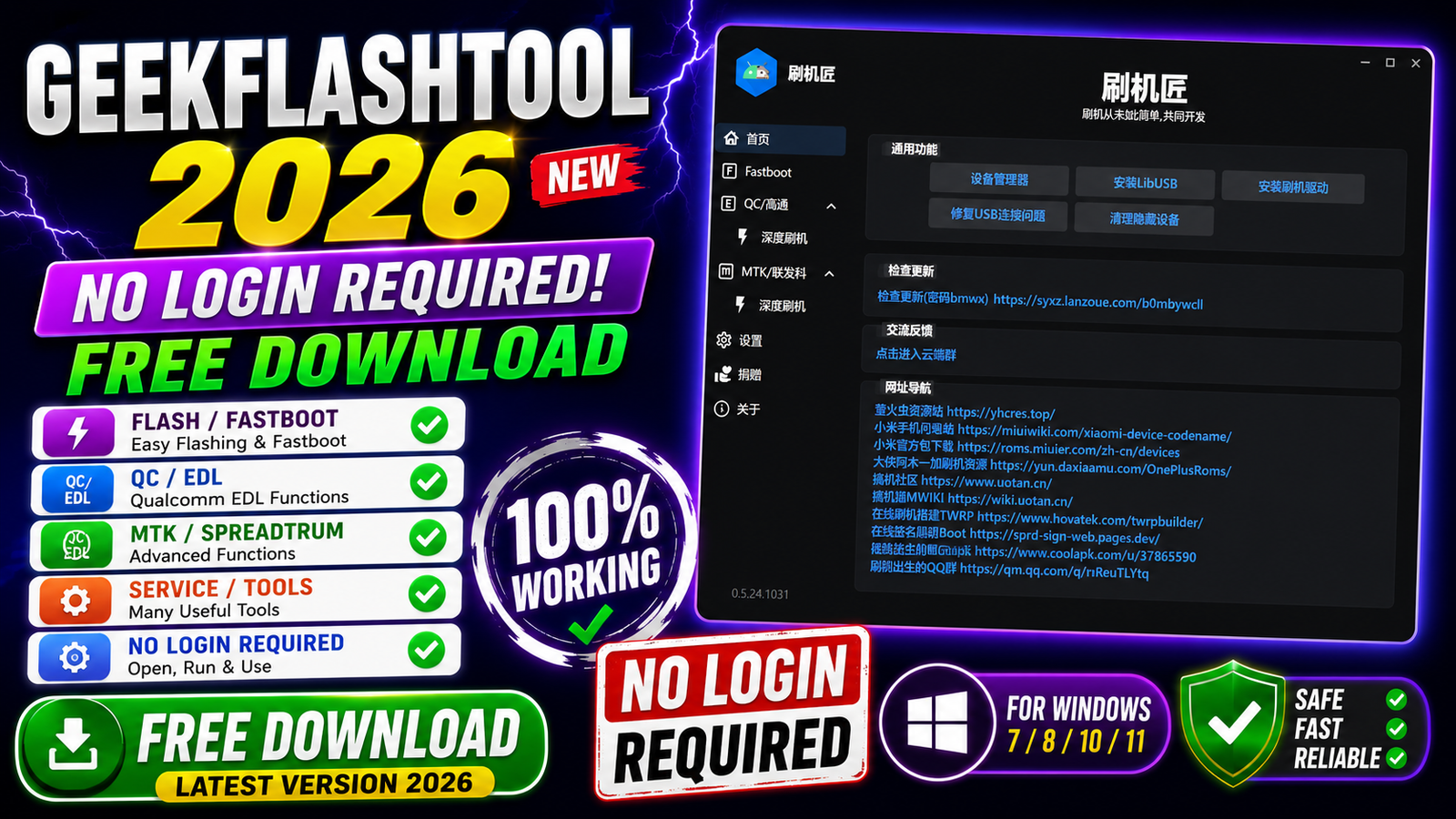
GeekFlashTool 2026 is a powerful and lightweight flashing utility designed for Android devices using Fastboot, Qualcomm (EDL), and MediaTek (MTK) platforms. The latest version introduces a modern AvaloniaUI-based dark interface, making navigation faster and more user-friendly. Unlike many flashing applications, GeekFlashTool requires no login or account activation, allowing users to start working immediately after installation.
The tool supports firmware flashing, partition management, bootloader unlocking, factory reset, readback backups, and many advanced maintenance functions. Whether you are repairing smartphones, flashing stock firmware, creating backups, or unlocking bootloaders, GeekFlashTool provides a complete solution for technicians and advanced Android users.
For more information: official website
Main Tools
GeekFlashTool includes several powerful modules for Android servicing:
- Fastboot Workspace
- Qualcomm (EDL) Flashing Module
- MediaTek (MTK) Flashing Module
- Firmware Flash Tool
- Partition Manager
- Readback & Backup Tool
- XML Firmware Creator
- Scatter File Export Tool
- Preloader Export Utility
- Bootloader Unlock Tool
- Factory Reset Tool
- Partition Erase Utility
- Device Information Reader
- Driver Installer
- LibUSB Installer
- USB 3.0 Connection Fix Tool
- Hidden Device Cleanup Utility
- ROM Download Shortcut
- TWRP Auto Port Tool
- Online Boot Signing Shortcut
- Theme Manager
- Update Checker
Key Features
GeekFlashTool 2026 comes with numerous features that simplify Android firmware management and device servicing.
- Modern dark interface built with AvaloniaUI.
- Separate Fastboot, Qualcomm, and MTK workspaces.
- Supports BAT and XML flashing scripts.
- Search and select individual partitions before flashing.
- Read basic device information.
- Flash selected partitions or complete firmware.
- Safely erase selected partitions.
- Factory Reset option for supported devices.
- Readback function for complete device backup.
- Generate XML files during Qualcomm readback.
- Export Scatter files during MTK readback.
- Export MTK Preloader for supported devices.
- Fastboot Bootloader Unlock support.
- Multiple reboot options.
- Support for custom XML and Scatter firmware files.
- Built-in USB driver installer.
- One-click LibUSB installation.
- USB 3.0 connection compatibility fix.
- Hidden device cleanup utility.
- Quick access to popular ROM download websites.
- Xiaomi Official ROM download shortcut.
- Automatic TWRP porting shortcut.
- Online Boot signing shortcut.
- Community and developer resource links.
- Multiple interface themes.
- Independent folder selection for readback files.
- Adjustable write buffer size.
- Automatic update checking.
- Developer donation support via WeChat and Alipay.
- Built-in flashing warning and legal disclaimer.
Supported Functions
GeekFlashTool supports a wide range of Android servicing operations.
- Flash complete firmware packages.
- Flash individual partitions.
- Flash BAT scripts.
- Flash XML firmware.
- Flash Scatter firmware.
- Read device information.
- Readback firmware from devices.
- Backup important partitions.
- Export Qualcomm XML firmware.
- Export MediaTek Scatter files.
- Export MediaTek Preloader.
- Erase selected partitions.
- Factory Reset supported devices.
- Unlock Fastboot Bootloader.
- Install USB drivers.
- Install LibUSB drivers.
- Fix USB 3.0 connection problems.
- Remove hidden USB devices.
- Reboot to System.
- Reboot to Recovery.
- Reboot to Bootloader/Fastboot.
- Reboot to EDL (supported devices).
- Download official Xiaomi ROMs.
- Launch TWRP Auto Port.
- Online Boot signing support.
Technical Setup Details
- Software Name: GeekFlashTool
- Latest Version: 2026
- License: Free
- Developer: GeekFlashTool Team
- Operating System: Windows 10 / Windows 11 (64-bit recommended)
- Processor: Intel or AMD Dual-Core or higher
- RAM: Minimum 4 GB (8 GB recommended)
- Storage Space: At least 500 MB free disk space
- Supported Platforms: Fastboot, Qualcomm (EDL), MediaTek (MTK)
- Required Drivers: Android USB Drivers, Qualcomm Drivers, MediaTek USB Drivers, LibUSB
- Internet Connection: Required only for update checking and online tools
How to Install GeekFlashTool
Follow these simple steps to install GeekFlashTool on your Windows PC.
- Download the GeekFlashTool compressed archive from this website.
- Extract the downloaded RAR or ZIP file using WinRAR or any compatible extraction software.
- Open the extracted folder.
- Double-click GeekFlashTool.exe.
- Read the flashing disclaimer displayed on first launch.
- Accept the warning to continue to the main interface.
- Install the required USB drivers if they are not already installed.
- Connect your Android device using a compatible USB cable.
- The software is now ready to use.
GeekFlashTool 2026 is an excellent all-in-one Android flashing utility that combines Fastboot, Qualcomm, and MediaTek support into a single application. Its clean interface, no-login requirement, advanced flashing capabilities, partition management, backup features, and bootloader unlocking tools make it a valuable choice for mobile repair professionals and Android enthusiasts. With support for XML and Scatter firmware, built-in driver installation, firmware backup, and various maintenance utilities, GeekFlashTool offers a reliable and efficient solution for servicing a wide range of Android devices.
Read Also: PLPatcher (Hy1Fly Fork)