
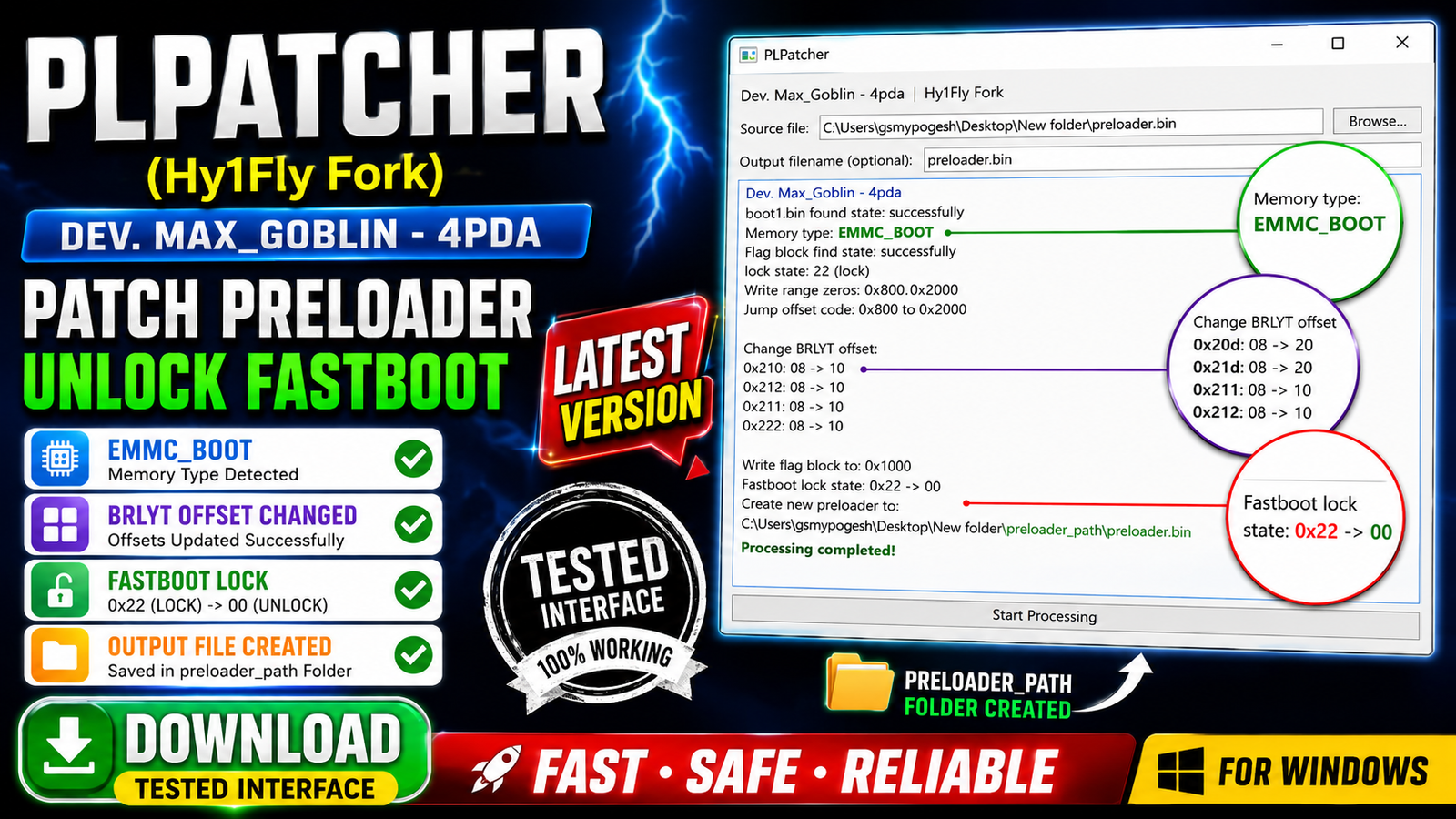
PLPatcher (Hy1Fly Fork) is a lightweight Windows utility designed for patching compatible MediaTek EMMC_BOOT preloader files. Based on the original project by Max_Goblin (4PDA) and enhanced by the Hy1Fly Fork, this version improves compatibility, adds automatic patching functions, provides an English interface, and generates detailed processing logs.
The tool automatically checks supported preloader files, verifies required flag blocks, updates BRLYT offsets, patches Fastboot lock values, and creates a separate output folder for patched files. Its simple single-window interface makes it easy for both beginners and advanced users to patch supported MediaTek preloaders safely.
For more information: official website.
Main Tools
- PLPatcher (Hy1Fly Fork)
- MediaTek Preloader Patcher
- EMMC_BOOT Detection
- BRLYT Offset Modifier
- Fastboot Lock State Patcher
- Flag Block Verifier
- Preloader Output Generator
- Processing Log Viewer
- RAW Preloader Validator
- English Language Interface
Key Features
- Supports compatible MediaTek preloader patching.
- Automatically detects EMMC_BOOT memory type.
- Checks boot1.bin before starting the patch process.
- Verifies the required flag block automatically.
- Updates BRLYT offset values during processing.
- Changes Fastboot lock state from 0x22 to 00 on supported preloaders.
- Writes a new flag block during patching.
- Performs zero-fill operations where necessary.
- Displays a detailed processing log for every action.
- Automatically creates a preloader_path folder for patched files.
- Allows users to customize the output filename.
- Includes an English language option.
- Detects unsupported RAW preloaders before processing.
- Shows clear error messages for unsupported files.
- Easy single-window interface with Browse and Start Processing buttons.
What’s New (Changelog):
- Hy1Fly Fork based on the original Max_Goblin (4PDA) project.
- Improved compatibility with supported EMMC_BOOT preloaders.
- Automatic BRLYT offset modification during processing.
- Fastboot lock state patching for supported preloaders.
- Automatic creation of the preloader_path output folder.
- Improved validation for unsupported RAW preloader files.
- Detailed processing log showing every modification.
- English language interface added.
Supported Functions
- Patch compatible MediaTek EMMC_BOOT preloaders.
- Detect EMMC_BOOT memory automatically.
- Verify boot1.bin integrity.
- Validate required flag blocks.
- Modify BRLYT offset values.
- Patch Fastboot lock state.
- Create new flag block automatically.
- Perform zero-fill where required.
- Generate detailed processing logs.
- Detect unsupported RAW preloaders.
- Save patched files in a dedicated output folder.
- Rename output files before saving.
- Display detailed error information.
- Process supported preloader files through a simple graphical interface.
Technical Setup Details
- Software Name: PLPatcher (Hy1Fly Fork)
- Version: Latest Version
- Developer: Hy1Fly Fork (Original Project by Max_Goblin – 4PDA)
- File Type: ZIP Archive
- License: Free
- Supported Platform: Windows
- Architecture: 32-bit & 64-bit
- Supported Devices: Compatible MediaTek Devices
- Interface: GUI (Graphical User Interface)
- Language: English
- Internet Required: No
- Administrator Rights: Recommended
How to Install PLPatcher (Hy1Fly Fork)
- Download the latest PLPatcher (Hy1Fly Fork) package from this website.
- Extract the downloaded ZIP file to any folder.
- Open the extracted folder.
- Run the PLPatcher executable as Administrator.
- Wait for the main application window to open.
- Click the Browse button and select a compatible MediaTek preloader file.
- Click Start Processing to patch the supported preloader.
- The patched file will be saved automatically inside the preloader_path folder.
PLPatcher (Hy1Fly Fork) is a useful utility for users working with supported MediaTek EMMC_BOOT preloaders. It automates important patching tasks such as BRLYT offset modification, Fastboot lock state changes, flag block verification, and output generation while maintaining a simple and user-friendly interface. With detailed processing logs, automatic validation, and English language support, it provides a reliable solution for handling compatible MediaTek preloader files efficiently.
Read Also: Samplitude Pro X8 Suite