
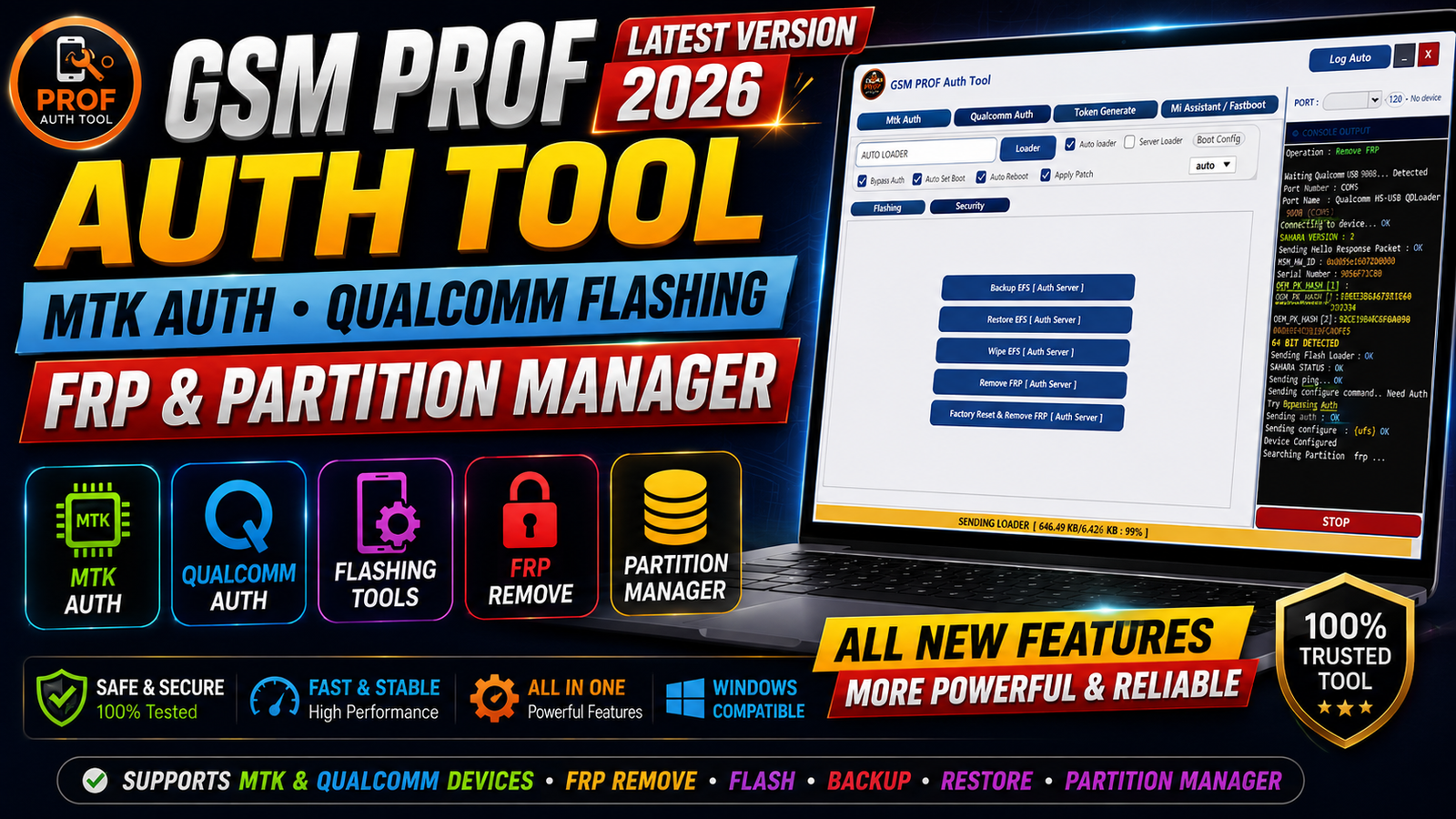
GSM PROF Auth Tool Latest Version 2026 is a Windows-based mobile servicing utility designed for technicians who work with supported Android devices and different servicing modes. The tool includes dedicated options for MediaTek (MTK) Auth, BROM, Preloader, Qualcomm flashing, FRP operations, partition management, EFS backup and restore, Fastboot information, and device communication logs.
The latest version brings several useful sections together in one interface, making it easier to perform supported servicing tasks without switching between multiple utilities. It also includes custom and automatic loader options, token generation functions, Xiaomi Mi Assistant features, and a console log for monitoring communication between the computer and connected device.
For more information: official website.
Main Tools
The GSM PROF Auth Tool provides several important sections for mobile servicing:
- MediaTek MTK Auth Section – Provides options related to supported MTK authorization and connection procedures.
- Preloader Options – Includes functions related to Preloader communication on compatible MediaTek devices.
- BROM Connection – Provides BROM connection options for supported MTK phones.
- Authorization Functions – Includes authorization-related operations available through the tool.
- Auto Reboot – Allows supported devices to reboot automatically after an operation.
- MTK FRP Operations – Provides supported FRP-related functions for MediaTek devices.
- Qualcomm Flashing – Includes Qualcomm firmware flashing options for compatible devices.
- Custom & Automatic Loaders – Provides options for selecting or automatically handling supported loaders.
- Partition Backup & Erase – Allows supported partitions to be backed up or erased.
- Partition Manager – Provides access to supported partition-management operations.
- EFS Manager – Includes EFS backup, restore, and wipe functions.
Key Features
One of the main advantages of GSM PROF Auth Tool Latest Version 2026 is that it combines multiple servicing functions in a single Windows application.
MediaTek MTK Auth:
The MTK Auth section is designed for supported MediaTek devices and provides authorization-related options. It also includes Preloader and BROM connection functions for compatible servicing modes.
Preloader and BROM Support:
Technicians can access dedicated connection options for supported MTK devices. The tool provides separate options for Preloader-related communication and BROM connections.
Qualcomm Flashing:
The Qualcomm section provides firmware flashing functionality for supported Qualcomm devices. Custom and automatic loader options are also available depending on the supported device and servicing method.
FRP-Related Functions:
The tool includes MTK FRP-related operations for supported devices. Available functions can depend on the device model, chipset, security level, and software version.
Partition Manager:
The integrated Partition Manager is useful for supported partition operations. It provides options related to partition backup and erase tasks from the same interface.
EFS Backup and Restore:
EFS-related functions include:
- EFS Backup
- EFS Restore
- EFS Wipe
Users should always create a valid backup before performing any operation that could modify important device data.
Token Generate:
The dedicated Token Generate section provides supported token-related functions and is included as part of the tool’s authorization workflow.
Xiaomi Mi Assistant:
The tool also includes Xiaomi Mi Assistant functions for supported Xiaomi devices and compatible servicing modes.
Fastboot Device Information:
The Fastboot section can display available device information when a supported device is connected in Fastboot mode.
Console Log:
The console log displays communication between the software and connected device. This can be useful when checking whether drivers, connection modes, or commands are working correctly.
Supported Functions
The main supported functions of GSM PROF Auth Tool include:
- MTK Auth operations
- Preloader-related operations
- BROM connection
- Authorization-related functions
- Auto reboot
- MTK FRP-related operations
- Qualcomm firmware flashing
- Custom loader selection
- Automatic loader options
- Partition backup
- Partition erase
- Partition Manager
- EFS backup
- EFS restore
- EFS wipe
- Token generation
- Xiaomi Mi Assistant functions
- Fastboot device information
- Device communication console
Note: Actual support can vary by device model, chipset, firmware version, security patch, drivers, and the version of GSM PROF Auth Tool being used.
Technical Setup Details
- Operating System: Windows 10 or Windows 11 recommended.
- Processor: Intel/AMD processor with stable performance.
- RAM: Minimum 4 GB recommended.
- Storage: Enough free space for the tool, drivers, and firmware files.
- USB Port: Working USB 2.0/3.0 port for device connection.
- USB Cable: Use a good-quality data cable.
- MTK Drivers: Install the required MediaTek USB/VCOM drivers for MTK operations.
- Qualcomm Drivers: Install the required Qualcomm USB drivers for supported Qualcomm modes.
- Administrator Rights: Run the setup and tool with administrator privileges when required.
- Internet Connection: May be required for login, activation, token, or online functions.
- Device Battery: Keep the connected device sufficiently charged before servicing.
How to Install GSM PROF Auth Tool
The installation is not very complicated, but there are a couple of things to know before opening the main program. The download normally comes as an archive, so you first need to extract it on your Windows PC.
Step 1: Download the Tool
Download the GSM PROF Auth Tool Latest Version 2026 archive and save it somewhere easy to find, such as your desktop.
Step 2: Extract the Archive
Right-click the RAR file and extract it using WinRAR or another compatible archive program.
If the archive asks for an extraction password, enter the password supplied with the download package.
Step 3: Open the Extracted Folder
After extraction is complete, open the new folder and look for the GSM PROF setup file.
Step 4: Run the Setup
Right-click the setup file and select Run as administrator.
The normal Windows installation window should appear.
Step 5: Continue Installation
Follow the installation wizard and continue with the default options unless you want to change the installation location.
If the installer provides a desktop shortcut option, select it if you want quick access to the software.
Step 6: Complete Installation
Click Install and wait for Windows to complete the setup.
After installation, you should see the GSM PROF Login Tool shortcut on the desktop.
In most cases, the installation itself does not take long. The important step comes after installation because the program may require activation or login before the main interface can be used.
GSM PROF Auth Tool Latest Version 2026 combines MTK Auth, Preloader, BROM, Qualcomm flashing, FRP-related functions, Partition Manager, EFS management, Token Generate, Xiaomi Mi Assistant, and Fastboot information into one Windows-based servicing utility.
Its MTK Auth and BROM options, Qualcomm flashing support, partition management, EFS backup and restore, and console logging make it a useful utility for mobile technicians working with supported devices.
Read Also: Skype 8 Software