
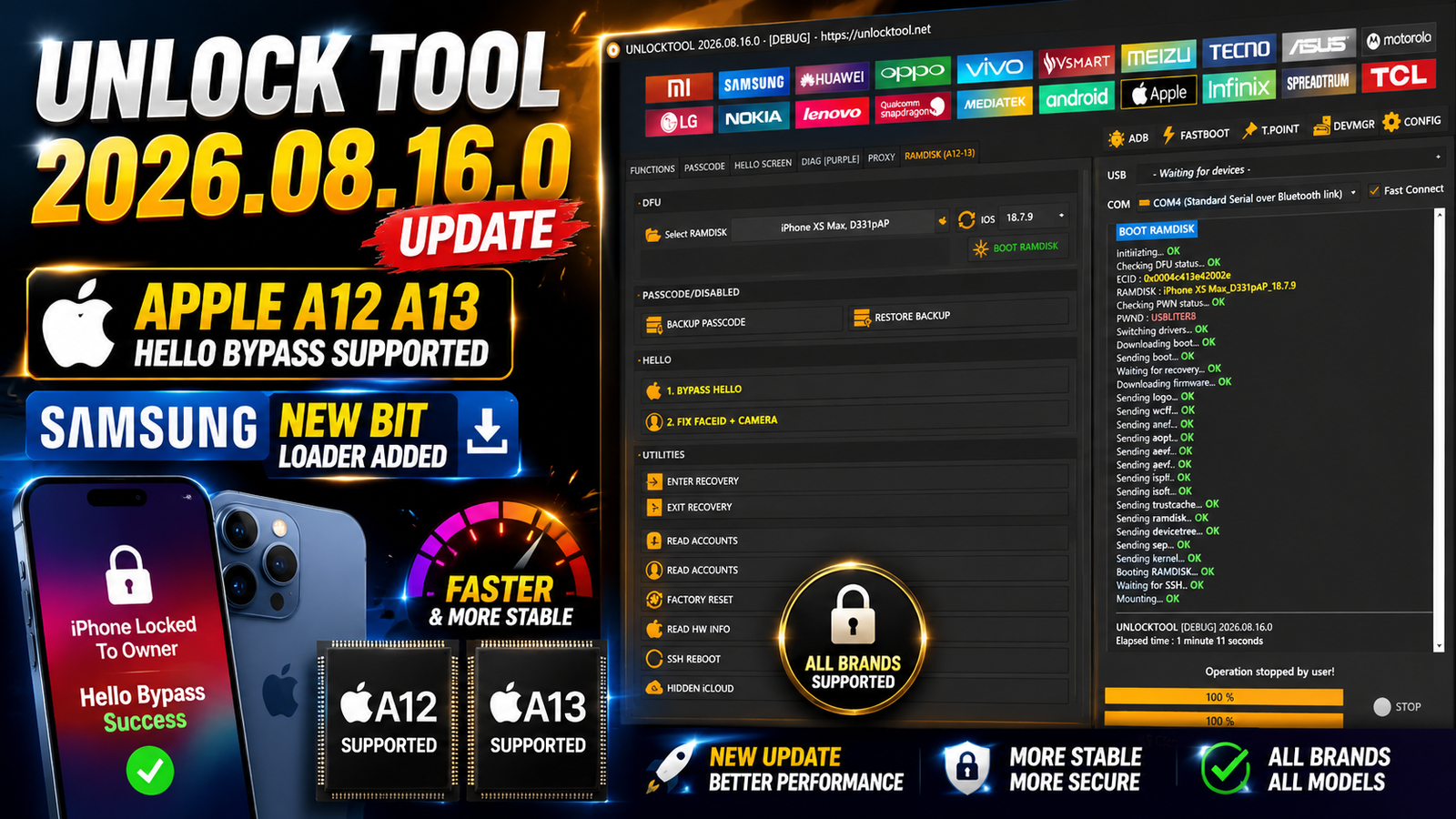
Unlock Tool 2026.08.16.0 is the latest update for mobile technicians and repair professionals working with Apple and Samsung devices. This release brings important improvements to the Apple module including RAMDisk-based Hello bypass support for selected A12 and A13 devices along with new Face ID and camera button-fix options.
The update also improves the Samsung Qualcomm Loader with support for new BIT security versions. New loaders provide functions such as Erase FRP Factory Reset Readback Flash and Backup for several Samsung Galaxy smartphones.
If you are looking for the Unlock Tool 2026.08.16.0 latest update, this release adds useful device support and security improvements for professional mobile servicing.
For more information: official website.
Main Tools
The major updates included in Unlock Tool 2026.08.16.0 are:
Apple Module
- RAMDisk Hello bypass support for selected A12/A13 devices.
- No serial number change.
- No-signal related support according to the update notes.
- Added Face ID + Camera button-fix options.
- Support for selected iPhone and iPad models.
Samsung Qualcomm Module
- Updated Qualcomm loaders for new BIT security versions.
- Erase FRP support.
- Factory Reset support.
- Readback support.
- Flash and backup-related functions.
- Added support for multiple Samsung Galaxy models.
Key Features
Apple A12/A13 RAMDisk Bypass
One of the main improvements in this release is RAMDisk-based Hello bypass support for selected Apple devices using A12 and A13 chips.
According to the update details, the supported operation is designed without changing the device serial number. The update also includes additional servicing options for supported devices.
Face ID + Camera Button Fix
Unlock Tool 2026.08.16.0 adds new Face ID and Camera button-fix options for supported Apple devices. These options can be useful during professional device servicing after supported repair operations.
Samsung New BIT Loader
The Samsung Qualcomm section has received updated loaders for newer BIT security versions. This improves compatibility with selected Samsung models and allows supported operations such as FRP erase, factory reset, readback, flashing, and backup.
Supported Functions
Apple
- RAMDisk Hello bypass for supported A12/A13 devices
- No serial number change
- Face ID button fix
- Camera button fix
- Support for selected iPhone models
- Support for selected iPad models
Samsung Qualcomm
- Erase FRP
- Factory Reset
- Readback
- Flash
- Backup
- Updated Qualcomm loaders for new BIT security
Supported Apple Devices
Unlock Tool 2026.08.16.0 adds support for the following Apple devices:
- iPhone 11
- iPhone 11 Pro
- iPhone 11 Pro Max
- iPhone SE 2020
- iPhone XS
- iPhone XR
- iPhone XS Max
- iPad Air 3
- iPad mini 5
- iPad 8
- iPad 9
Support can depend on the exact device condition, iOS version, chipset, and operation being performed.
Supported Samsung Devices
The updated Samsung Qualcomm loaders support the following models and BIT versions:
- Samsung Galaxy Z Flip3 5G — SM-F711N — BIT-E
- Samsung Galaxy Z Flip4 — SM-F721B — BIT-C
- Samsung Galaxy Z Fold3 5G — SM-F926B — BIT-B
- Samsung Galaxy Z Fold6 — SM-F956B — BIT-4
- Samsung Galaxy S21 Ultra 5G — SM-G998U — BIT-J
- Samsung Galaxy S21 Ultra 5G — SM-G9980 — BIT-G
- Samsung Galaxy S22 5G — SM-S901E — BIT-E
- Samsung Galaxy S23 — SM-S911B / SM-S911B/DS — BIT-A
- Samsung Galaxy S23+ — SM-S916B — BIT-A
- Samsung Galaxy S23 Ultra — SM-S918U — BIT-8
- Samsung Galaxy S23 Ultra — SM-S918W — BIT-8
Technical Setup Details
- Tool Version: Unlock Tool 2026.08.16.0
- Operating System: Windows 10 / Windows 11
- RAM: 4 GB or higher
- USB Port: Working USB 2.0/3.0 port
- USB Cable: Good-quality data cable
- Apple Drivers: Required for supported iPhone/iPad operations
- Samsung Drivers: Samsung USB Driver installed
- Qualcomm Drivers: Required for Qualcomm devices
- Internet: Stable internet connection for online features
- Permissions: Run the tool with Administrator rights
- Battery: Keep the device sufficiently charged
- Device Detection: Make sure the phone is detected correctly
- Samsung BIT: Check the exact model and BIT version
How to Install Unlock Tool 2026.08.16.0
Follow these general installation steps:
- Download the Unlock Tool 2026.08.16.0 package.
- Extract the downloaded archive using a suitable extraction utility.
- Open the extracted Unlock Tool folder.
- Run the setup or executable file with administrator permission if required.
- Install the required drivers for Apple, Samsung, or Qualcomm devices.
- Launch Unlock Tool after installation.
- Log in or connect to the required service if the software requires online authentication.
- Connect the supported mobile device using a reliable USB cable.
- Select the correct device brand and operation.
- Carefully check the model and security/BIT information before starting the operation.
Unlock Tool 2026.08.16.0 is an important update for technicians working with Apple and Samsung devices. The Apple module introduces RAMDisk Hello bypass support for selected A12/A13 devices and adds Face ID and Camera button-fix options. At the same time, the Samsung Qualcomm module receives updated loaders for new BIT security versions.
With expanded Apple device support and new Samsung Qualcomm loader compatibility, this release makes Unlock Tool 2026.08.16.0 a useful update for professional mobile repair and servicing work.
Read Also: EFT Pro Dongle V5.5.7