
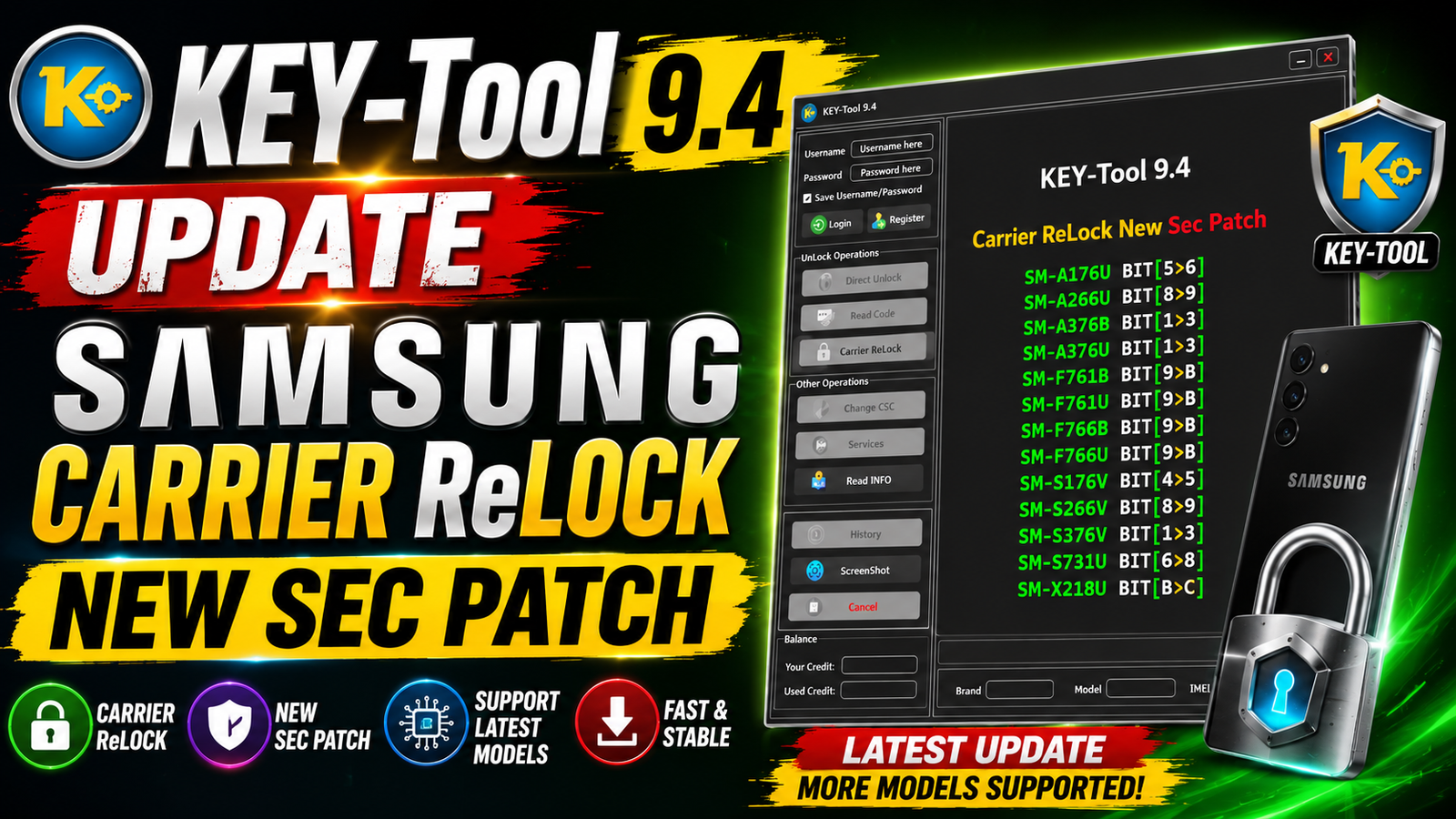
KEY-Tool 9.4 is the latest update focused on Samsung devices with support for the Carrier ReLock New Security Patch. This release adds updated support for several Samsung Galaxy smartphones and tablets with newer security-bit versions.
The KEY-Tool 9.4 update is useful for mobile technicians and Samsung repair professionals who work with carrier-related operations and newer Samsung security patches. The update specifically includes BIT transitions, allowing support for selected devices moving from older security versions to newer BIT levels.
For more informaton: official website.
Main Tools
The KEY-Tool 9.4 update provides an updated environment for working with supported Samsung devices.
Main Highlights:
- Samsung Carrier ReLock support
- New Security Patch support
- Updated Samsung BIT compatibility
- Support for selected Galaxy A-Series devices
- Support for selected Galaxy Z-Series devices
- Support for selected Galaxy S-Series devices
- Support for selected Samsung Galaxy tablets
- Updated compatibility for newer security-bit versions
- Designed for mobile phone servicing and repair technicians
Key Features
Samsung Carrier ReLock – New Security Patch:
The major feature introduced in KEY-Tool 9.4 is updated Carrier ReLock support for selected Samsung models.
The update includes the following BIT transitions:
- SM-A176U: BIT 5 → BIT 6
- SM-A266U: BIT 8 → BIT 9
- SM-A376B: BIT 1 → BIT 3
- SM-A376U: BIT 1 → BIT 3
- SM-F761B: BIT 9 → BIT B
- SM-F761U: BIT 9 → BIT B
- SM-F766B: BIT 9 → BIT B
- SM-F766U: BIT 9 → BIT B
- SM-S176V: BIT 4 → BIT 5
- SM-S266V: BIT 8 → BIT 9
- SM-S376V: BIT 1 → BIT 3
- SM-S731U: BIT 6 → BIT 8
- SM-X218U: BIT B → BIT C
Updated Security Compatibility:
KEY-Tool 9.4 improves compatibility with the newer security levels listed in this release. The BIT changes are particularly important because Samsung firmware versions use different bootloader/security revisions.
Supported Functions
The main supported function in this release is:
- Carrier ReLock – New Security Patch
- Samsung Carrier ReLock for supported models
- Updated BIT support
- Support for the listed Samsung security transitions
- Compatibility with selected Samsung Galaxy A-Series models
- Compatibility with selected Samsung Galaxy F-Series models
- Compatibility with selected Samsung Galaxy S-Series models
- Compatibility with selected Samsung Galaxy Tab models
Supported Samsung Models:
- Samsung SM-A176U — BIT 5 → BIT 6
- Samsung SM-A266U — BIT 8 → BIT 9
- Samsung SM-A376B — BIT 1 → BIT 3
- Samsung SM-A376U — BIT 1 → BIT 3
- Samsung SM-F761B — BIT 9 → BIT B
- Samsung SM-F761U — BIT 9 → BIT B
- Samsung SM-F766B — BIT 9 → BIT B
- Samsung SM-F766U — BIT 9 → BIT B
- Samsung SM-S176V — BIT 4 → BIT 5
- Samsung SM-S266V — BIT 8 → BIT 9
- Samsung SM-S376V — BIT 1 → BIT 3
- Samsung SM-S731U — BIT 6 → BIT 8
- Samsung SM-X218U — BIT B → BIT C
Technical Setup Details
- Operating System: Windows 10 or Windows 11
- Tool Version: KEY-Tool 9.4
- USB Driver: Latest compatible Samsung USB Drivers
- USB Cable: Use a high-quality USB data cable
- USB Port: Prefer a direct USB port on the computer
- Device Detection: Samsung device must be detected correctly by Windows
- Device Model: Verify the exact Samsung model number before operation
- Security Patch: Check the device’s current security patch level
- BIT Version: Confirm the current BIT version and supported BIT transition
- Internet Connection: Recommended for online-related tool services
- Windows Permission: Run KEY-Tool with Administrator privileges
- Battery Level: Keep the Samsung device sufficiently charged
- Connection Stability: Do not disconnect the USB cable during the operation
- Firmware Compatibility: Make sure the device firmware is compatible with the supported KEY-Tool 9.4 function
- Backup: Back up important user data before performing servicing operations
How to Install KEY-Tool 9.4
Follow these general steps to install the latest KEY-Tool version:
Step 1: Download KEY-Tool 9.4
Download the KEY-Tool 9.4 installation package from this website.
Step 2: Extract the Package
If the downloaded file is compressed, extract it using an archive utility such as 7-Zip or WinRAR.
Step 3: Install Required Drivers
Install the required Samsung USB drivers on your Windows computer so the device can be detected correctly.
Step 4: Run the Tool
Open the KEY-Tool 9.4 executable. If required, right-click the program and select Run as Administrator.
Step 5: Connect the Samsung Device
Connect the supported Samsung device to the computer using a reliable USB data cable and place it into the required operating mode.
Step 6: Check Device Information
Allow the tool to detect the phone and verify the model, firmware, security patch, and BIT version.
Step 7: Use the Supported Function
Select the supported Carrier ReLock – New Security Patch function for the compatible device and follow the tool’s on-screen instructions.
KEY-Tool 9.4 is an important update for Samsung servicing professionals because it adds Carrier ReLock support for newer security patches and updated BIT levels. The release covers multiple Samsung models, including selected A-Series, F-Series, S-Series, and Galaxy Tab devices.
The update includes BIT transitions such as BIT 5 → 6, BIT 8 → 9, BIT 9 → B, BIT 6 → 8, and BIT B → C, expanding compatibility with newer Samsung security versions.
Read Also: REAPER 7 x64