
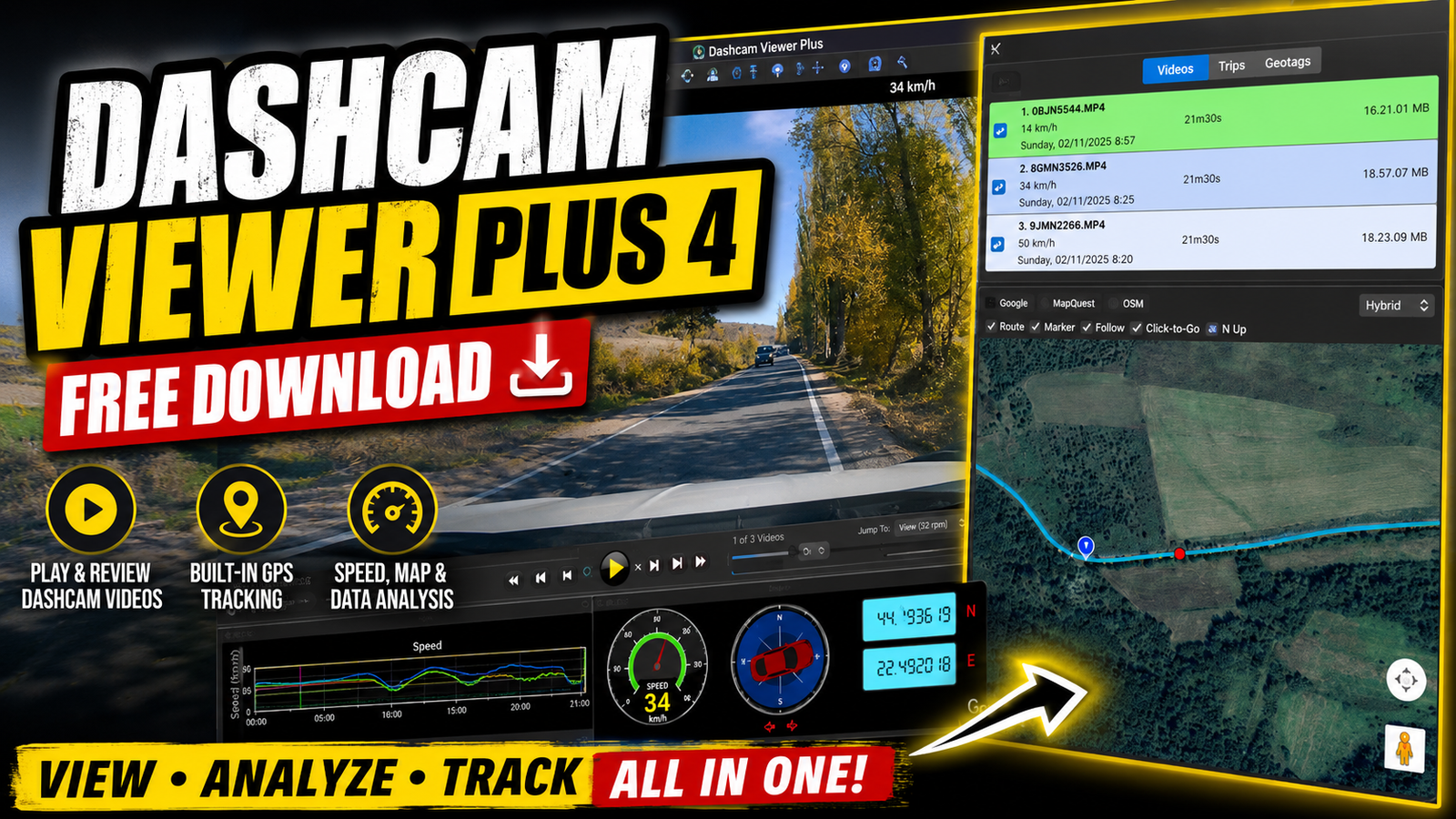
Dashcam Viewer Plus 4 is a powerful software solution designed to help users view analyze and manage footage recorded by compatible dashcam devices. It provides useful tools for reviewing driving videos GPS information vehicle speed direction and route data.The software is compatible with more than 140 different dashcam models and is available for Windows and Mac. Its practical features make it easier to review recorded journeys and analyze important information captured by a dashcam.For more information: official website
Key Features
- Powerful dashcam video playback and analysis tools.
- Supports more than 140 different dashcam models.
- Compatible with Windows and Mac systems.
- Displays the vehicle position on an interactive map.
- Supports GPS data export to KML and GPX formats.
- Allows users to mark geographic points along a route.
- Exports selected sections of video as separate clips.
- Combines multiple videos into a single video.
- Displays the vehicle’s real-time position on the map.
- Automatically centers the map on the vehicle.
- Allows users to keep the map fixed during playback.
- Displays configurable vehicle speed information.
- Includes a compass showing the direction of travel.
Supported Functions
- Video Playback : Allows users to play and review dashcam recordings.
- GPS Data Export : Exports GPS information to popular KML and GPX formats.
- Route Mapping : Displays the vehicle’s position and route on an interactive map.
- Video Clips : Allows users to export selected sections of recorded footage.
- Video Combining : Combines multiple dashcam videos into one continuous video.
- Vehicle Information : Displays vehicle position, speed, time, and direction.
- Map Controls : Automatically centers the map on the vehicle.
Technical Setup Details
- Software Full Name: Dashcam Viewer Plus 4
- Setup File Name: Dashcam_Viewer_Plus_4_x64.rar
- Setup Size: Approximately 111 MB
- Application Type: Offline Installer / Full Standalone Setup
- Compatibility Architecture: 64-bit (x64)
- Installation Typse: Full Standalone Setup
- Supported Platform: Window
System Requirements
- Operating System: Windows 7, Windows 8, Windows 8.1, Windows 10, or Windows 11
- RAM: 4 GB of RAM required
- Hard Disk Space: 250 MB of free space required
- Processor: Intel Core i3, multi-core processor or higher
- Architecture: 64-bit (x64) compatible system
How to Install Dashcam Viewer
- Download the Dashcam Viewer Plus 4 setup archive to your computer.
- Locate the downloaded RAR file in your Downloads folder.
- Extract the archive using WinRAR, WinZip, or Windows Extract.
- Open the extracted installation folder.
- Locate and run the Dashcam Viewer installer.
- Accept the software terms and continue with the installation.
- Select the preferred installation location.
- Click Install and wait for the installation to complete.
- Launch Dashcam Viewer Plus 4 from the desktop or Start menu.
- Configure the playback and map settings and begin reviewing your dashcam footage.
Dashcam Viewer Plus 4 is a powerful and practical application for viewing and analyzing dashcam recordings. It combines video playback with GPS mapping route tracking vehicle information and useful video management tools.With support for numerous dashcam models GPS export video clipping video combining map controls speed information and compass functionality the software provides a convenient way to review and organize driving footage.
Read Also : LabelJoy Server