
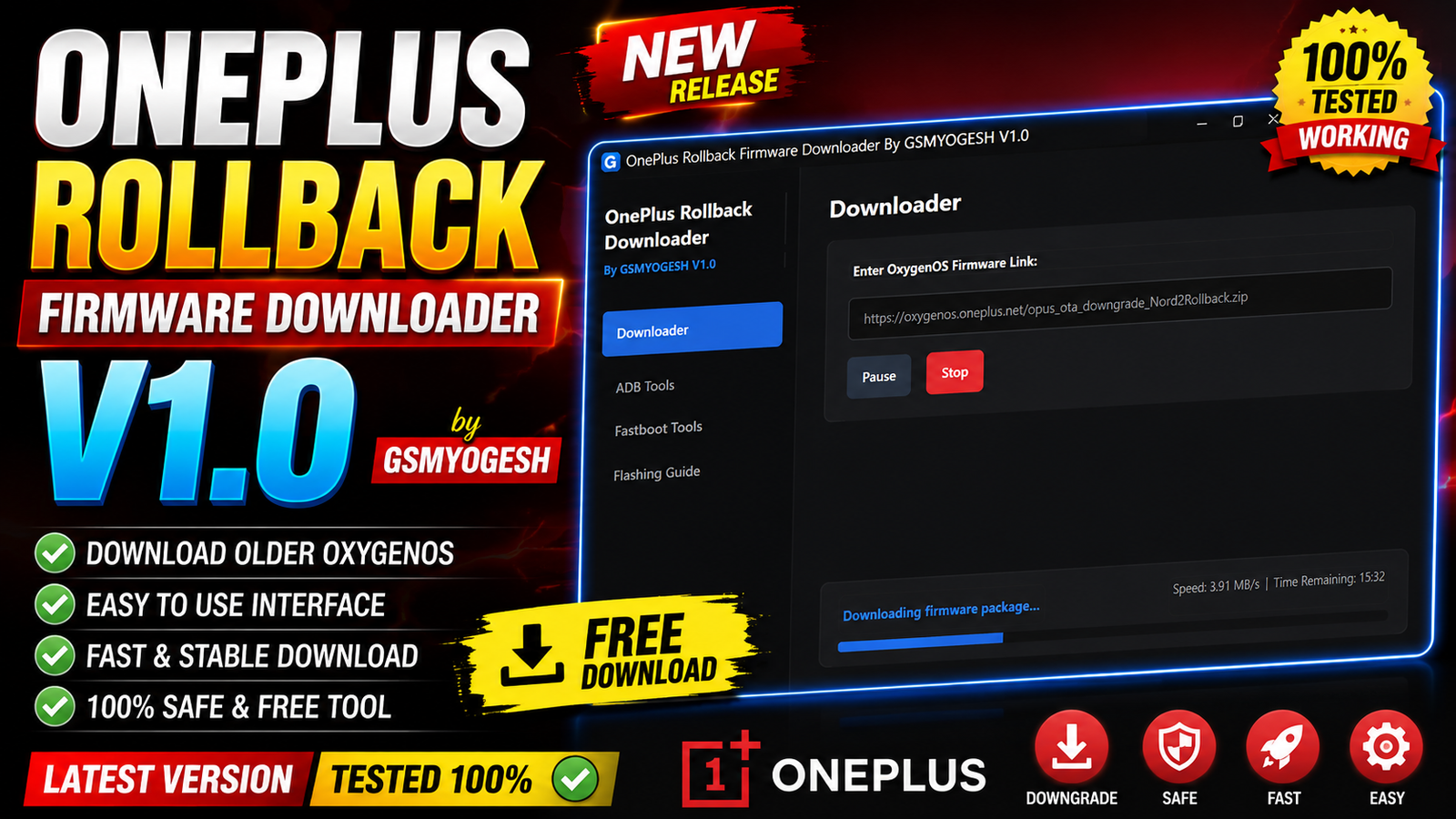
OnePlus Rollback Firmware Downloader V1.0 by GSMYOGESH is a Windows-based utility designed to make downloading and preparing official OnePlus OxygenOS rollback firmware easier. The tool provides a simple interface where users can paste an official OxygenOS rollback URL and manage the firmware download without manually configuring network settings.
The utility also includes built-in ADB and Fastboot controls, allowing users to check connected devices, transfer downloaded firmware to the phone, reboot into bootloader mode, and perform several Fastboot-related operations.
For more information: official website.
Main Tools
The main components included in OnePlus Rollback Firmware Downloader V1.0 are:
- Rollback Firmware Downloader – Download official OxygenOS rollback packages using a direct URL.
- Connection Fix – Automatically handles certain official-server connection issues in the background.
- Download Manager – Pause, resume, or cancel active firmware downloads.
- Progress Monitor – Shows download speed, percentage, and estimated remaining time.
- Firmware Organizer – Automatically creates device folders and formats downloaded file names.
- ADB Suite – Detect connected ADB devices and transfer firmware to internal storage.
- Bootloader Reboot – Reboot connected devices into bootloader mode.
- Fastboot Manager – Check Fastboot connections and access available Fastboot controls.
- Boot/Recovery Flashing – Provides options for flashing supported boot or recovery image files.
- System Reboot – Reboot the device back into Android.
- Automatic Cleanup – Removes temporary network-related changes when the application is closed.
Key Features
1. Automatic Connection Fix:
The application can automatically handle certain official server connection problems in the background. This reduces the need for users to manually modify system or network settings.
2. Direct Firmware Downloader:
Users can paste an official OxygenOS rollback firmware URL directly into the downloader. The application then starts the download process through its built-in interface.
3. Download Control Options:
Active downloads can be managed easily with:
- Pause
- Resume
- Cancel
This is useful when downloading large firmware packages over slower or unstable internet connections.
4. Live Speed & Progress Information:
The downloader provides real-time information such as:
- Download speed
- Download progress percentage
- Estimated remaining time (ETA)
- Current download status
5. Automatic Folder and File Formatting:
After downloading the firmware, the tool automatically organizes the package into a specific device folder. It can also rename the downloaded package to:
oplus_ota_downgrade.zip
This helps keep rollback firmware files organized.
6. Built-in ADB Suite:
The integrated ADB functions allow users to:
- Check connected ADB devices
- Copy downloaded firmware to
/sdcard/ - Reboot the connected device into bootloader mode
These options reduce the need to use separate command-line ADB commands.
7. Built-in Fastboot Controls:
The Fastboot section provides several device-management options, including:
- Check Fastboot device connection
- Initiate bootloader unlocking
- Flash supported boot images
- Flash supported recovery images
- Reboot the device into the system
Note: Bootloader unlocking and image flashing can erase data or cause device problems if used incorrectly. Always use the correct files for the exact OnePlus model.
8. Clean Background Exit:
When the application is closed, it automatically cleans up the network parameters used by the program. This helps keep the Windows system clean after using the utility.
Supported Functions
OnePlus Rollback Firmware Downloader V1.0 supports the following functions:
- Official OxygenOS rollback firmware downloading
- Automatic server connection handling
- Direct URL-based downloads
- Pause and resume downloads
- Cancel active downloads
- Real-time download speed monitoring
- ETA and progress display
- Automatic firmware folder creation
- Automatic firmware file renaming
- ADB device detection
- Firmware transfer to
/sdcard/ - Reboot to bootloader
- Fastboot device detection
- Bootloader unlock function
- Boot image flashing
- Recovery image flashing
- Reboot to Android system
- Automatic network parameter cleanup
Technical Setup Details
- Operating System: Windows PC
- Application: OnePlus Rollback Firmware Downloader V1.0
- Permissions: Administrator privileges recommended
- USB Cable: Good-quality USB data cable
- OnePlus Device: Supported OnePlus device with the required mode enabled
- ADB Drivers: Required when using ADB functions
- Fastboot Drivers: Required when using Fastboot functions
- Internet Connection: Required for downloading firmware
- Firmware URL: Official OxygenOS rollback firmware URL
For ADB operations, enable USB Debugging on the device when applicable. For Fastboot operations, boot the phone into the appropriate bootloader/Fastboot mode.
How to Install OnePlus Rollback Firmware Downloader V1.0
Follow these steps to install OnePlus Rollback Firmware Downloader V1.0 by GSMYOGESH:
Step 1: Download the Tool
Download the OnePlus Rollback Firmware Downloader V1.0 ZIP archive from this Website.
Step 2: Extract the ZIP
After downloading, right-click the ZIP archive and extract it to a convenient folder on your computer.
Step 3: Run the Application
Open the extracted folder and locate the application executable. Right-click it and select Run as administrator.
Step 4: Complete Initial Setup
Follow the initial onboarding or setup wizard provided by the application.
Step 5: Add Firmware URL
After the program opens, paste your official OxygenOS rollback firmware URL into the downloader box.
Step 6: Start Downloading
Start the download and monitor the progress, speed, and estimated remaining time from the application interface.
Step 7: Process the Firmware
Once the download is complete, the tool automatically organizes the package and can rename it to:
oplus_ota_downgrade.zip
You can then use the integrated ADB/Fastboot functions where appropriate.
OnePlus Rollback Firmware Downloader V1.0 by GSMYOGESH is a convenient utility for users who regularly work with OnePlus rollback firmware. Its direct URL downloader, automatic file organization, download controls, and built-in ADB/Fastboot functions bring several firmware-management tasks into a single Windows application.
The automatic connection handling and cleanup functions are particularly useful because they reduce the amount of manual configuration required. For technicians and advanced OnePlus users, the combination of firmware downloading, ADB device management, and Fastboot controls can make the rollback preparation process more straightforward.
Read Also: MJT ADB Tool Pro v1.2.7