
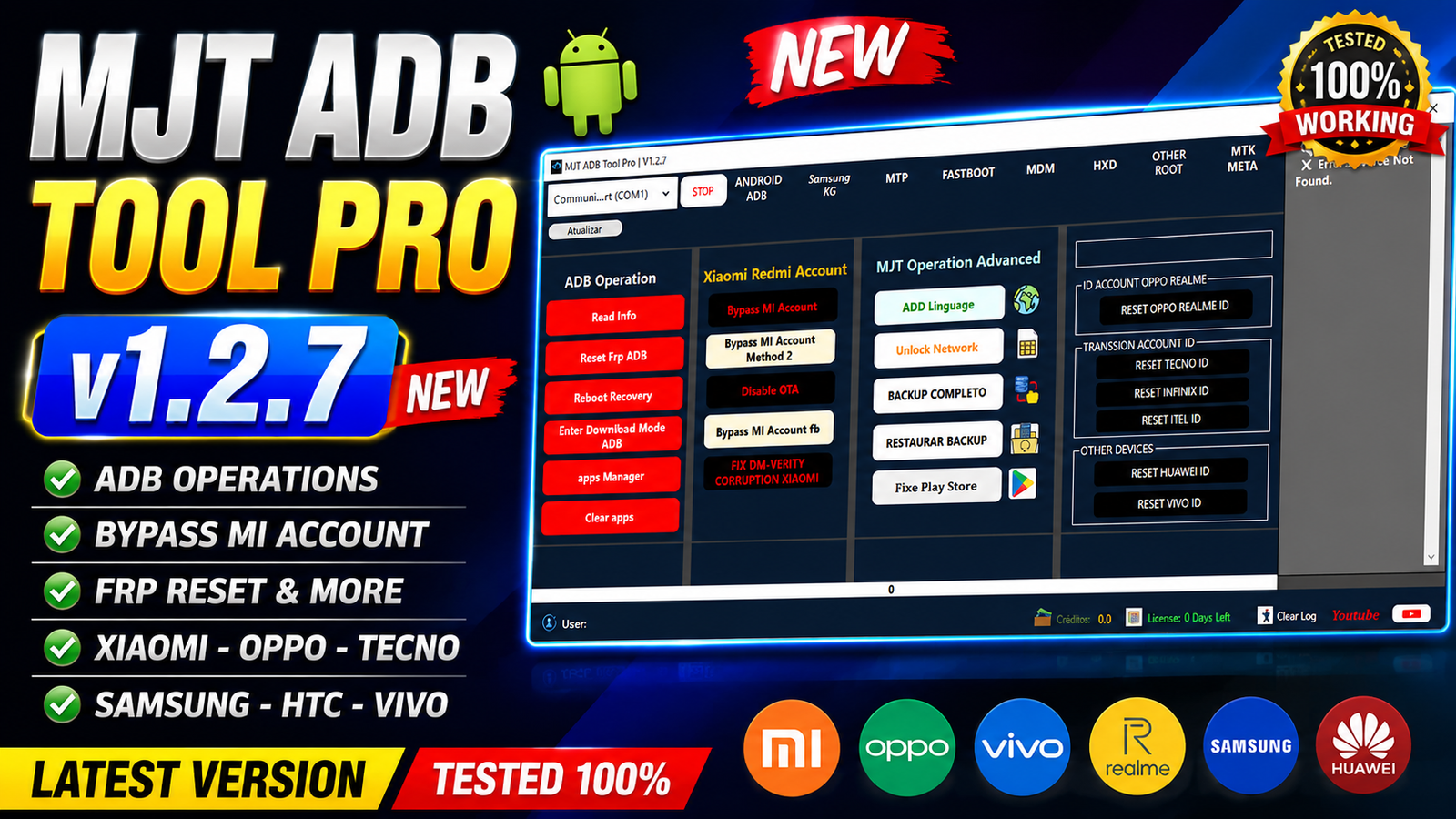
MJT ADB Tool Pro v1.2.7 is a multi-function Android servicing tool designed for mobile technicians and repair professionals. It provides a wide range of ADB, Fastboot, MTP, Samsung KG, MDM, DIAG, and device-management functions from one application.
The latest version, MJT ADB Tool Pro v1.2.7, comes with several improvements, bug fixes, a redesigned interface, enhanced MDM functions, and support for additional device models. The update also adds ID reset options for Huawei, Oppo, Vivo, Tecno, Itel, and Infinix devices.
The tool can be useful for Android device diagnostics, information reading, backup and restore operations, Fastboot management, firmware-related operations, and various servicing tasks. According to the provided release information, the latest build has been tested for its listed functions.
For more information: official website.
Main Tools
MJT ADB Tool Pro v1.2.7 includes multiple modules for different Android servicing requirements:
- Android ADB Module – Device information, ADB FRP functions, reboot options, app management, backup and restore, and other ADB operations.
- Samsung KG Module – Check KG status, KG removal, MDM operations, EFS backup/restore, rooting, and Samsung information functions.
- MTP Module – Read device information, enable ADB, factory reset, YouTube access, and MTP-based FRP functions.
- Fastboot Module – Read Fastboot information, reboot modes, userdata formatting, EDL reboot, recovery flashing, bootloader operations, and image flashing.
- MDM Module – Includes several MDM servicing methods for MTK, SPD, Samsung-related environments, Oppo/Realme, Huawei, Nokia, ZTE, Transsion, and other supported devices.
- HXD Tool – Automatic Miscdata and Proinfo editing with Super Image processing functions.
- Extra Operations – DIAG mode, ADB partition listing, SIM servicing, IMEI backup/restore, and other diagnostic operations.
Key Features
Android ADB:
The Android ADB section provides several useful device-management options:
- Read Device Information
- Reset FRP through ADB
- Reboot Recovery
- Enter Download Mode through ADB
- Apps Manager
- Clear Apps
- Xiaomi Mi Account bypass methods
- Disable OTA Updates
- Xiaomi Mi Account bypass through Fastboot
- Fix Xiaomi DM-Verity Corruption
- Add Language
- Unlock Network
- Backup Device Data
- Restore Backup
- Fix Google Play Store
- Reset Oppo ID
- Reset Realme ID
- Reset Tecno ID
- Reset Infinix ID
- Reset Itel ID
- Reset Huawei ID
- Reset Vivo ID
Samsung KG Functions:
The Samsung section provides dedicated KG and MDM-related functions:
- Check KG Status
- Remove KG Lock for supported Android 11–14 devices
- Enable ADB through QR on supported Android 15 devices
- Remove MDM on supported Android 11–13 devices
- Remove MDM on supported Android 14 devices
- Remove MDM through App methods
- Remove MDM using supported patches for Android 14–16
- Backup EFS
- Restore EFS
- Root Device
- Unlock SIM Card using old method
- Unlock SIM Card using new method
- Install MJT Guard
- Install Test DPC
- Live Screen
- Fix Install Apps
- Reboot Normal Mode
- Reboot Download Mode
- Read Samsung Information through ADB
- Reset Samsung FRP on supported Exynos Android 11–14 devices
- Reset Samsung FRP on supported Exynos Android 15–16 devices
- Reset Samsung Account
MTP Functions:
The MTP module allows technicians to perform several operations when the phone is connected through MTP:
- Read Device Information
- Open YouTube
- Factory Reset
- Enable ADB
- Remove FRP
Fastboot Functions:
The Fastboot module includes:
- Read Fastboot Information
- Reboot Recovery for supported Nokia devices
- Reboot Normal Mode
- Universal FRP Removal
- Format Userdata
- Fastboot Reboot EDL
- Erase Cache
- Flash Recovery
- Unlock Bootloader
- Relock Bootloader
- Flash Images
Availability of individual operations depends on the device model, Android version, security level, bootloader state, and connection mode.
Supported Functions
MDM Module:
MJT ADB Tool Pro v1.2.7 includes an expanded MDM section with multiple servicing methods:
- MDM MTK SPD 2024
- MDM SPD 2025 Old
- MDM 2025 New
- MDM 2026 Premium
- MDM by QR
- Takenow Remove
- MDM Calcarse
- Navigation Fix
- MDM QR Relock
- MDM Oppo / Realme
- Install Nova Launcher
- MDM Unitel Smart 4G
- Live Screen
- MDM Nokia
- MDM Huawei 2025
- MDM ZTE Blade
- Transsion MDM by Model
HXD Tool:
The HXD Tool section provides automatic image and partition processing functions:
- Auto Edit Miscdata
- Auto Edit Proinfo
- Select Super.img or BIN File
- Write Super Image Automatically
- Automatic Super Image Editing
Extra Operations:
Additional servicing features include:
- Read Device Information
- Diagnostic Phone
- Enable DIAG Mode
- Root Device
- List ADB Partitions
- SIM Unlock through DIAG Mode
- IMEI A / IMEI B Support
- Write IMEI through ADB
- Backup IMEI
- Restore IMEI Backup
These functions should only be used on devices that you own or are authorized to service, and IMEI-related operations should comply with local laws and regulations.
Technical Setup Details
- Software Name: MJT ADB Tool Pro
- Latest Version: v1.2.7
- Operating System: Windows PC
- Architecture: 32-bit / 64-bit Windows
- USB Connection: Required for connecting Android devices
- ADB Drivers: Required for ADB functions
- Fastboot Drivers: Required for Fastboot operations
- Samsung USB Drivers: Recommended for Samsung devices
- Connection Modes: ADB, MTP, Fastboot, Download Mode, and DIAG Mode
- Administrator Permission: Required to install and run the tool properly
- Internet Connection: Required for online activation and some online functions
- USB Cable: Use a good-quality data cable
- Device Battery: Keep the device sufficiently charged before servicing
- Backup: Backup important data before performing reset or advanced operations
- Supported Functions: ADB, MTP, Fastboot, Samsung KG, MDM, HXD, and DIAG operations
- Activation: Hardware ID and License Token registration may be required
- Compatibility: Functions depend on the device model, chipset, Android version, security patch, and available connection mode.
How to Install MJT ADB Tool Pro v1.2.7
Follow these steps to install the latest version:
- Download the MJT ADB Tool Pro v1.2.7 package from this website.
- Extract the downloaded RAR archive using the password gsm.
- Open the extracted MJT_TOOL_PRO folder.
- Right-click MJT_TOOL_PRO.exe and select Run as administrator.
- On the welcome screen, click Next.
- Keep the default installation location and click Next.
- Leave the desktop shortcut option enabled and click Next.
- Click Install and wait for the installation to complete.
- Uncheck Visit product website and click Finish.
- Launch the Control Module as Administrator.
- Click Copy Hardware ID Key.
- Open the provided activation-key page.
- Paste the Hardware ID into the HWID field.
- Click Generate Key Now.
- Copy the generated activation key.
- Return to the Control Module.
- Paste the key into the License Token field.
- Click Register License.
- After successful registration, log in with your account credentials.
- The software will then open and be ready for supported operations.
Always obtain the software and activation credentials from a legitimate source and avoid modified or suspicious executable files.
MJT ADB Tool Pro v1.2.7 is a comprehensive Android servicing application that combines ADB, MTP, Fastboot, Samsung KG, MDM, DIAG, and Super Image-related functions in one interface. The latest update brings new ID reset options, improved MDM support, automatic Super Image functionality, interface improvements, bug fixes, and support for additional device models.
For mobile technicians, the main advantage of MJT ADB Tool Pro is that many commonly used Android servicing functions are available from a single application. However, the availability and success of individual operations can vary according to the phone model, chipset, Android version, security patch, and device condition.
Read Also: 3DF Zephyr 8