
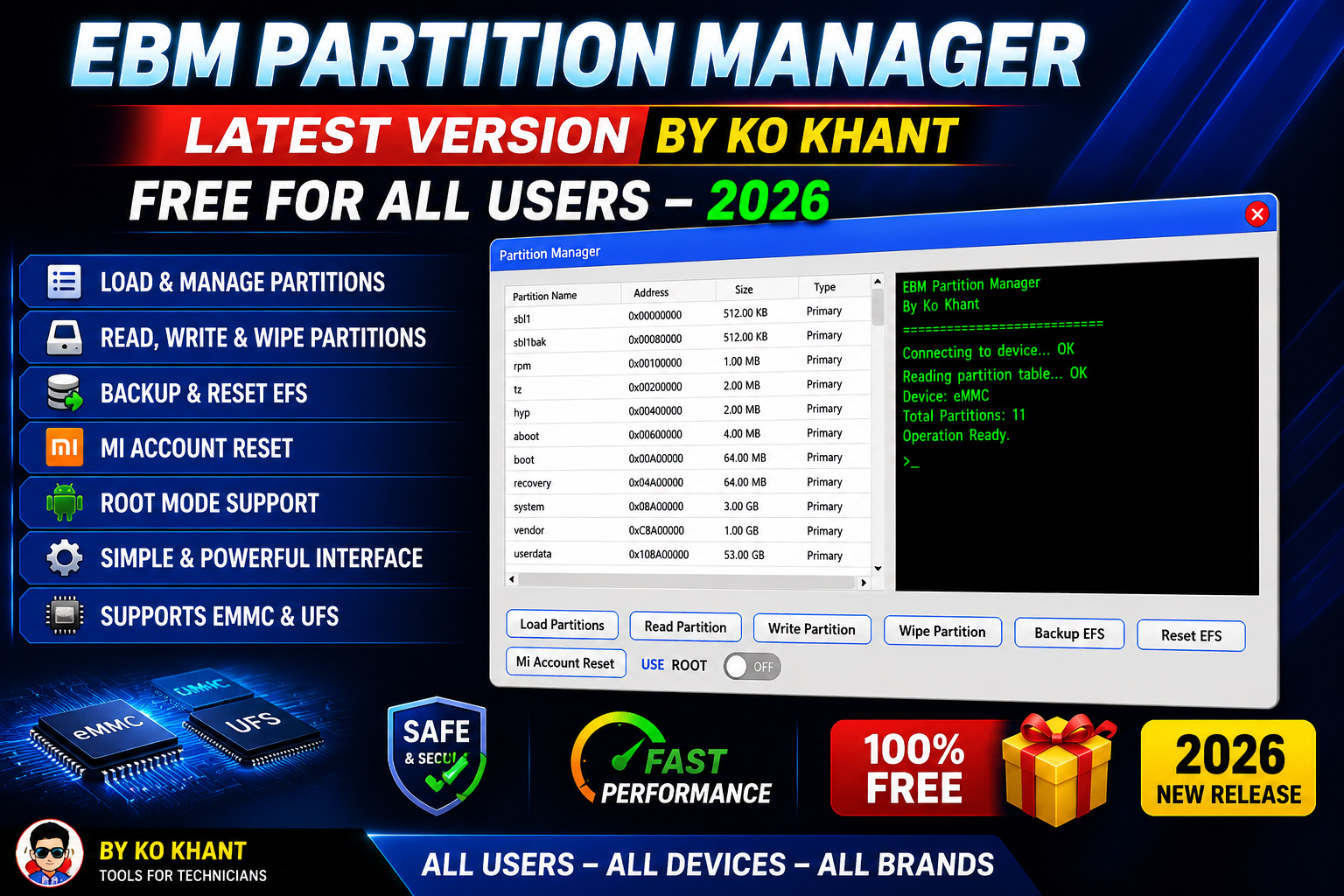
EBM Partition Manager Latest Version by Ko Khant (2026) is a powerful Android partition management utility designed for mobile repair technicians, developers, and advanced Android users. The tool provides an easy way to manage Android partitions, back up important data, repair EFS partitions, and perform Xiaomi Mi Account reset on supported devices.
The latest 2026 release introduces a dedicated Partition Manager module with new read/write partition functions, improved partition loading, real-time console logs, and a simplified one-window interface. Whether you’re working with eMMC or UFS storage devices, EBM Partition Manager offers reliable partition-level operations in a user-friendly environment.
For more information: official website.
Main Tools
EBM Partition Manager includes several powerful modules for Android partition management:
- Partition Manager
- Read Partition Tool
- Write Partition Tool
- Partition Backup Utility
- EFS Backup Module
- Reset EFS Tool
- Xiaomi Mi Account Reset
- Root Mode Operations
- Real-Time Console Log
- Partition Image Manager
Key Features
The latest version comes packed with useful features for Android servicing.
- Load Android Partition Table
- Read Selected Partition
- Write IMG File to Selected Partition
- Wipe Selected Partition
- Backup EFS Data
- Reset EFS Partition
- Mi Account Reset for Supported Xiaomi Devices
- Root Mode Support
- Real-Time Console Log Window
- Single Window Interface
- Partition Image Backup
- Block-Level Partition Management
- Supports Both eMMC and UFS Storage
- Direct Partition Flashing
- Easy Partition Selection Panel
Supported Functions
EBM Partition Manager supports a wide range of Android service operations.
- Load complete Android partition tables.
- Read individual partitions.
- Write IMG files directly to selected partitions.
- Backup important partitions before modification.
- Wipe unwanted partitions safely.
- Backup EFS for IMEI protection.
- Reset damaged EFS partitions.
- Perform Xiaomi Mi Account Reset on supported devices.
- Flash partition images directly.
- Manage partitions at block level.
- Work with both eMMC and UFS storage devices.
- View live operation logs in real time.
- Execute advanced functions using Root Mode.
What’s New (Changelog):
The 2026 update introduces several improvements and new functions.
- Added standalone Partition Manager module.
- Included Read Partition function.
- Added Write Partition feature.
- Added dedicated Backup EFS shortcut.
- Included Reset EFS function.
- Added Mi Account Reset for supported Xiaomi devices.
- Added USE ROOT toggle for advanced operations.
- Improved partition loading speed.
- Added Real-Time Console Output Window.
- Redesigned one-page interface for easier navigation.
Technical Setup Details
- Software Name: EBM Partition Manager
- Version: Latest Version 2026
- Developer: Ko Khant
- License: Free for All Users
- File Type: ZIP / Installer
- Operating System: Windows 10 (64-bit), Windows 11 (64-bit)
- Processor: Intel or AMD Dual-Core Processor (or higher)
- RAM: Minimum 2 GB (4 GB or more recommended)
- Storage Space: At least 200 MB of free disk space
- Architecture: 64-bit
- Supported Storage: eMMC and UFS
- Required Drivers: Android USB Drivers
- USB Connection: USB Data Cable Required
- Administrator Rights: Required for installation and advanced functions
- Root Access: Optional (Required only for Root Mode operations)
- Internet Connection: Required only for activation (if applicable)
How to Install EBM Partition Manager
Installing EBM Partition Manager is simple.
- Download the latest ZIP or installer package from this website.
- Extract the downloaded archive.
- Run the installer as Administrator.
- Follow the installation wizard.
- Complete the setup process.
- Launch the software.
- Sign in or activate the tool if required.
- Connect your Android device and begin using the software.
EBM Partition Manager Latest Version by Ko Khant Free For All Users – 2026 is an excellent utility for Android partition management EFS maintenance, and Xiaomi servicing. Its clean interface, powerful partition tools support for both eMMC and UFS storage and advanced Root Mode capabilities make it a valuable addition to any mobile repair toolkit. With new features like the standalone Partition Manager real-time console logs and direct partition flashing the latest release delivers faster safer and more efficient Android servicing for technicians and power users alike.
Read Also: Unlock Tool 2026.07.27.0