
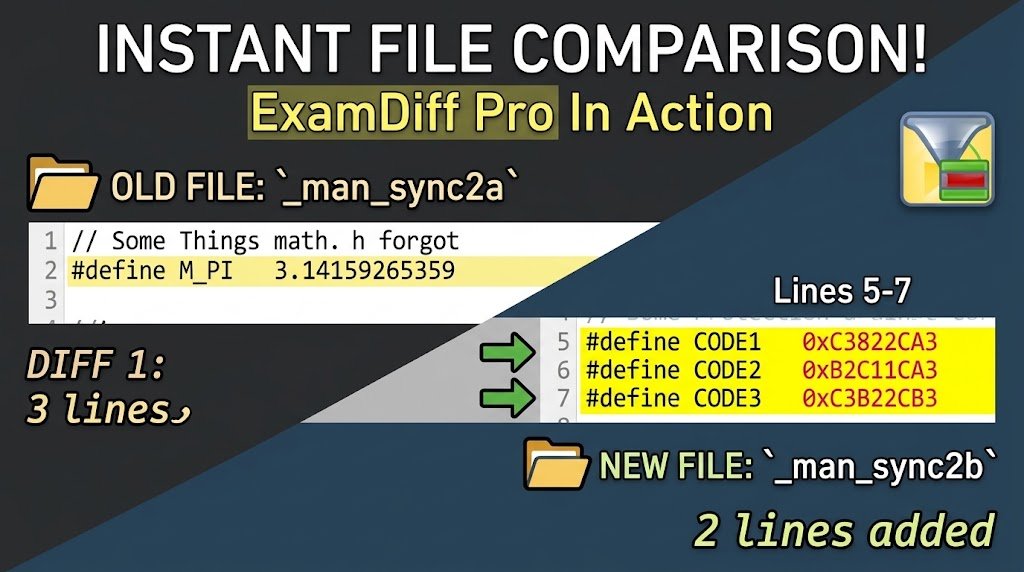
ExamDiff Pro 16.0 (x64) is a powerful and intuitive visual file and directory comparison utility designed for Windows users. It helps developers programmers testers and IT professionals quickly identify differences between files and folders.
Unlike basic comparison tools ExamDiff Pro provides advanced two-way and three-way diff and merge capabilities syntax highlighting binary comparison directory synchronization reporting and an integrated text editor. These features make it useful for code reviews version control testing document comparison and managing different file versions.
With its easy-to-use interface users can quickly navigate between changes review modifications and merge different versions of files into a final output.For more information official website
Key Features
- ExamDiff Pro 16.0 (x64)
- Two-Way and Three-Way Comparison: Compare two files or reconcile changes between a base file and two modified versions.
- File and Folder Comparison: Track changes across individual files and complete directories.
- Code Review: Review source-code modifications efficiently with visual difference highlighting.
- Advanced Merge Tools: Merge different file versions and resolve changes conveniently.
- Syntax Highlighting: Visualize programming code with language-specific syntax highlighting.
- Binary Comparison: Compare executable files such as DLL and EXE files using built-in binary comparison.
- Difference Reports: Create HTML and printable reports that can be shared with colleagues.
- Directory Synchronization: Synchronize files and directories between a PC and external storage.
- Directory Snapshots: Create snapshots for future comparisons and archiving.
- Integrated Text Editor: Edit documents directly within the comparison window.
- Drag-and-Drop Support: Easily add files and directories using drag-and-drop.
- Windows Explorer Integration: Compare files directly from Windows Explorer through the shell extension.
- Comment Ignoring: Ignore programming-language comments to focus on meaningful code changes.
- Document Comparison: Use available plug-ins to compare Word, Excel, and PDF documents.
- Synchronized Word Wrap: Compare document paragraphs more conveniently.
- Test Validation: Compare test results against a baseline and save comparison results as reports.
Supported Functions
ExamDiff Pro 16.0 (x64) supports a broad range of professional comparison and file-management functions. Its three-way diff and merge feature allows users to compare a base file with two revised versions, commonly referred to as “yours” and “theirs.” The changes can then be reconciled into an output file.
- Source-code comparison and review
- Version comparison
- File and directory change tracking
- Merge conflict resolution
- Binary file comparison
- Website-to-FTP comparison with the appropriate plug-in
- File synchronization
- Test-result verification
- Document comparison
- Difference reporting
- Previous-version checking
- Mistake detection and recovery
- Directory archiving through snapshots
Technical Setup Details
- Software Full Name: ExamDiff Pro 16.0 (x64)
- Latest Version: 16.0.1.23
- Setup Type: Offline Installer / Full Standalone Setup
- File Name: ExamDiff Pro
- File Size: Approximately 20 MB
- Architecture: 64-bit (x64) / 32-bit (x86)
- Operating System: Windows 10 / Windows 11
System Requirements
ExamDiff Pro 16.0 (x64) make sure your Windows PC meets the required specifications.
- Operating System: Windows 7, Windows 8, Windows 8.1, or Windows 10
- Processor: Intel Pentium 4 Dual-Core or higher
- RAM: 1 GB RAM or more
- Hard Disk: At least 100 MB of free storage
- Architecture: x86 or x64 Windows system
- Display: Standard Windows-compatible display
How to Install ExamDiff Pro
- ExamDiff Pro 16.0 (x64)
- Download the ExamDiff Pro 16.0 (x64) installation package from a legitimate source.
- Extract the downloaded archive if it is compressed.
- Open the extracted folder and locate the official installer.
- Run the installer with the required Windows permissions.
- Read and accept the software license terms.
- Select the desired installation location.
- Continue through the setup wizard and allow the installation to complete.
- Launch ExamDiff Pro from the Start menu or desktop shortcut.
- If you have a legitimate license, activate the software using the license information provided by the developer.
ExamDiff Pro 16.0 (x64) is a feature-rich solution for users who need reliable file and directory comparison on Windows. Its two-way and three-way comparison modes merge functionality syntax highlighting binary comparison reporting synchronization and integrated editing tools make it particularly useful for developers testers and IT professionals.
Whether you need to review source code identify changes between document versions compare directories validate test results or resolve merge differences ExamDiff Pro provides a comprehensive visual environment for handling these tasks efficiently.
Read Also:Golden Software Surfer 30