
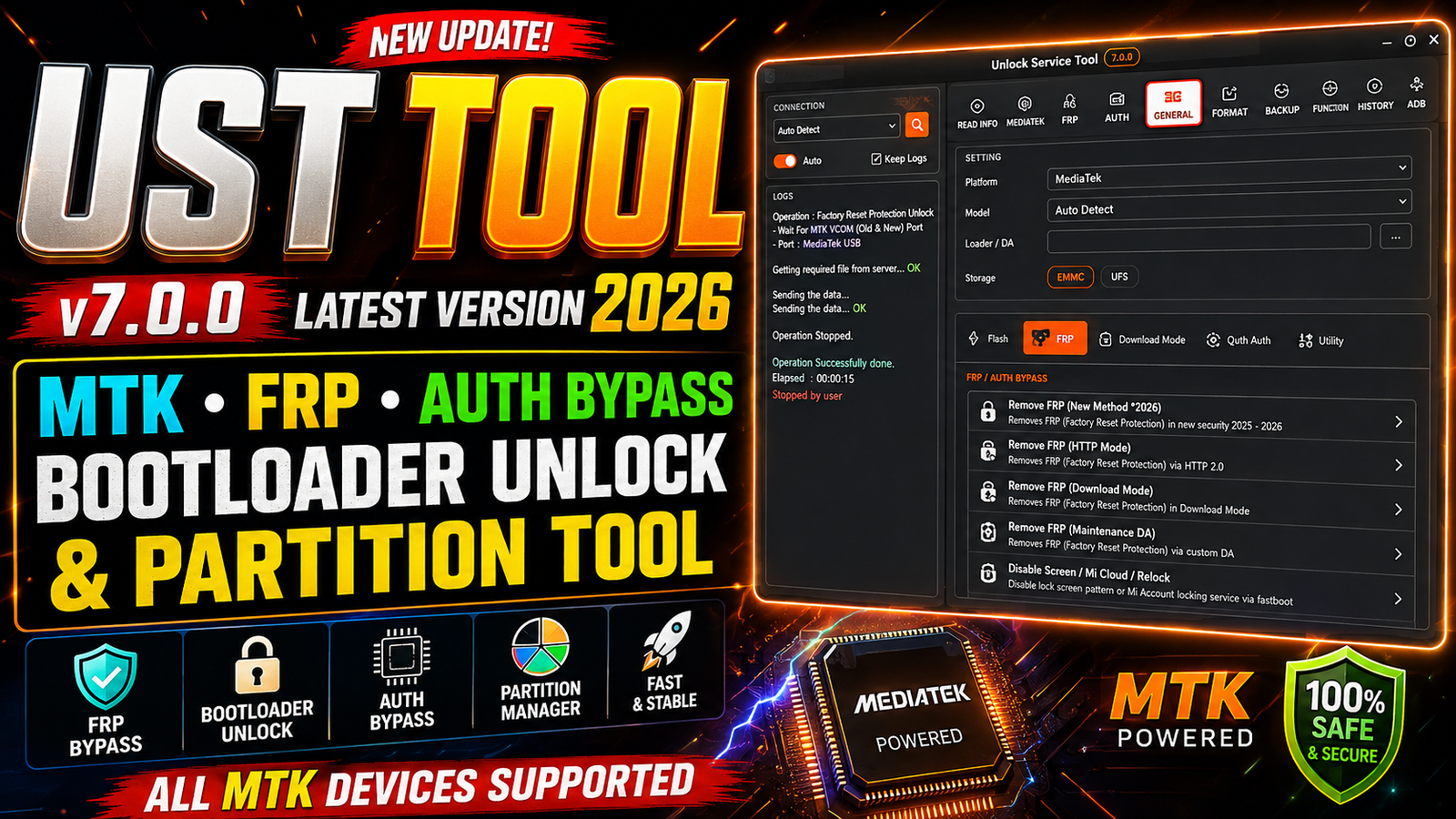
UST Tool v7.0.0 Latest Version 2026 is a powerful mobile servicing utility designed for technicians who work with MediaTek, Samsung, Xiaomi, Motorola, Transsion, and other supported Android devices. The latest version combines FRP operations, firmware flashing, bootloader management, partition functions, Auth operations, Download Mode, Fastboot, EDL, and device information tools in one interface.
The UST Tool v7.0.0 provides different modules for supported brands and chipsets. Depending on the device model and security level, users can read hardware information, perform factory reset operations, manage partitions, flash firmware, and use supported service functions.
For more information: official website.
Main Tools
- MediaTek (MTK) Tool – FRP, Auth, Bootloader, Partition & Preloader functions.
- Xiaomi Tool – Firmware Flash, Format Data, Fastboot & Mi Assistant functions.
- Samsung Tool – Odin Flashing, FRP, Download Mode, PIT & EDL functions.
- Motorola (MOTO) Tool – Device Info, Factory Reset, FRP & Fastboot functions.
- Transsion Tool – Read Info, Factory Reset & FRP functions.
- Realme Tool – Supported Realme device servicing and software functions.
- Vivo Tool – Supported Vivo device servicing and repair functions.
- HMD Tool – Supported HMD/Nokia device servicing functions.
- OnePlus Tool – Supported OnePlus device servicing and software operations.
- Fastboot Tool – Device information, reboot, format and supported bootloader operations.
- Download Mode Tool – Samsung model, FRP, OEM Lock, Knox and carrier status checks.
- Qualcomm EDL Tool – Sahara/Firehose info, partition operations, reset and supported EDL functions.
Key Features
Here are some of the important features available in the latest UST Tool version:
- Read detailed MediaTek hardware information.
- Display SoC, MEID, SOCID, security status, and GPT information.
- Supported FRP reset operations.
- Factory Reset + FRP functionality.
- Wipe Userdata, Metadata, and Cache where supported.
- Reboot MediaTek devices to normal mode.
- Supported bootloader unlock and relock functions.
- Read and write selected partitions.
- Save partition data as BIN files.
- Erase selected partition blocks.
- Dump active Preloader binary.
- Dump supported BootROM memory areas.
- Xiaomi firmware flashing.
- Samsung Odin firmware flashing.
- PIT file reading and dumping.
- Qualcomm EDL information and servicing functions.
- Motorola Fastboot functions.
- Transsion device servicing.
- MTP and ADB device information.
- Samsung USB driver installation.
Supported Functions
MediaTek Functions:
The MTK section provides the following functions:
- Read Info – Read hardware SoC information, MEID, SOCID, security status, and GPT details.
- Reset FRP / Bypass FRP – Perform supported FRP servicing operations.
- Factory Reset + FRP – Wipe supported Userdata, Metadata, and Cache partitions.
- Reboot – Reboot a MediaTek device into normal mode.
- Unlock Bootloader – Unlock the bootloader using the supported seccfg partition method.
- Relock Bootloader – Restore the supported lock state and verification checksums.
- Bypass Auth – Perform supported SLA/DAA Auth operations through the available BROM and payload process.
- Read Partition – Read and save selected partition data as a BIN file.
- Write / Flash Partition – Write a compatible image file to a selected partition.
- Erase Partition – Erase selected partition blocks.
- Dump Preloader – Save the active Preloader as a binary file.
- Dump BootROM – Dump the supported BootROM memory area.
Xiaomi Functions:
The Xiaomi module includes:
Flash
- Flash Firmware
- Format Data
- Browse Scatter Firmware
Service
- Read Info
- Factory Reset + FRP
- Factory Reset
Fastboot
- Read CSSD
- Format Data
- Reboot Device
Mi Assistant
- Read Info
- Factory Reset + FRP
- Factory Reset
EFS
- Read CSSD
Utility
- Unlock Bootloader
- Relock Bootloader
Samsung Odin Firmware Flashing:
UST Tool v7.0.0 supports several common Odin firmware components:
- BL firmware component
- AP firmware component
- CP firmware component
- CSC firmware component
- USERDATA firmware component
- PIT file support
- Auto Reboot
- Read PIT
- F. Reset Time
- Re-Partition
- Firmware flashing execution
Always use firmware files that match the correct model and regional variant.
Samsung FRP and Security Functions:
For supported Samsung devices, the tool provides several service options, including:
- FRP servicing through Test Mode
*#0*#. - FRP servicing through MTP Mode.
- Supported Download Mode FRP operations.
- Qualcomm EDL FRP operations for listed Snapdragon Galaxy devices.
- Supported Knox, KG Guard, and MDM servicing through Test Mode functions.
Availability depends on the specific Samsung model and security version.
Samsung Download Mode Operations:
The Download Mode section can provide:
- Read Model information.
- Read Carrier information.
- Read Knox warranty status.
- Check FRP Lock status.
- Check OEM Lock status.
- Exit Download Mode.
- Reboot to normal system.
- Reboot directly to Recovery Mode.
- Fix supported softbrick or firmware crash-loop problems.
- Read and dump PIT files.
Qualcomm EDL 9008 Operations:
For supported Qualcomm devices, UST Tool provides EDL functions such as:
- Read Qualcomm Sahara information.
- Read Firehose hardware information.
- Detect storage type.
- Read supported partition information.
- Factory Reset / Format Userdata.
- Reset FRP on supported Snapdragon Galaxy devices.
- Erase Samsung Account data where supported.
- Backup EFS / Radio Calibration.
Samsung Utility Functions:
Additional Samsung utilities include:
- Read Device Info in MTP Mode.
- Read Device Info in ADB Mode.
- Change CSC through supported Test Mode.
- Enable ADB Debugging through supported Test Mode.
- Reboot to Download Mode.
- Reboot to Recovery Mode.
- Install Samsung USB Mobile Drivers.
Motorola Functions:
The Motorola section includes:
- Read Info.
- Factory Reset + FRP.
- Factory Reset.
- Erase FRP using supported Fastboot operations.
- Read device hardware information.
- Read model and carrier information.
- Check supported lock status.
Transsion Functions:
Supported Transsion service options include:
- Read Info.
- Factory Reset + FRP.
- Factory Reset.
Other Visible Brand Sections:
UST Tool v7.0.0 also shows additional brand tabs, including:
- Realme
- Vivo
- HMD
- OnePlus
The actual functions available under these tabs may depend on future updates and supported models.
Technical Setup Details
- Operating System: Windows 10 / Windows 11 (64-bit recommended)
- Processor: Intel Core i3 or equivalent and above
- RAM: Minimum 4 GB, 8 GB recommended
- Storage: At least 2 GB free disk space
- USB Port: USB 2.0 or USB 3.0 port
- USB Cable: Good-quality original or compatible USB data cable
- Device Drivers: Install the required MTK, Qualcomm, Samsung, Xiaomi, ADB, Fastboot, and other device drivers as needed
- Administrator Access: Run UST Tool with Windows Administrator privileges
- Internet Connection: Required for supported activation, login, and online functions
- Firmware: Use the correct firmware matching the exact device model
Follow these steps to install and activate UST Tool v7.0.0 Latest Version 2026:
Step 1: Download the Tool
Download the UST Tool v7.0.0 package and save it to your Windows computer.
Step 2: Extract the Archive
Right-click the downloaded archive and extract it to a new folder using an archive utility such as 7-Zip or another compatible program.
Step 3: Open the USTTOOL Folder
Open the extracted USTTOOL folder and locate the main executable.
Step 4: Run USTTOOL.exe
Double-click USTTOOL.exe to start the application. If Windows requests administrator permission, allow the program to run.
Step 5: Copy Hardware ID
When the CONTROL MODULE window appears, click Copy Hardware ID Key.
Step 6: Generate the Activation Key
Open the activation page supplied with the software and locate the Generate 10 Days Free Activation Key section.
Paste the copied Hardware ID into the ENTER YOUR 16-CHAR HWID field.
Click GENERATE KEY NOW and copy the complete license key.
Step 7: Register the License
Return to the UST Tool Control Module and paste the license into:
Paste Activation License Token Here
Click REGISTER LICENSE.
According to the provided activation process, a green Success message should appear after successful registration.
Step 8: Wait for Loading
Wait for the tool’s loading process to finish. Do not disconnect the device or close the software while an active operation is running.
Step 9: Complete Login
Complete the login screen according to the software requirements.
Step 10: Start Using UST Tool
After the main interface opens, select the required brand or chipset module and use the functions supported by your device.
UST Tool v7.0.0 Latest Version 2026 is a multi-purpose Android servicing utility that combines several useful functions in one application. Its MediaTek module provides partition management, device information, supported Auth operations, FRP servicing, and bootloader functions, while the Xiaomi, Samsung, Motorola, and Transsion modules provide additional device-specific tools.
For technicians, having firmware flashing, partition, Fastboot, Download Mode, MTP, ADB, and EDL functions available from one interface can make routine software servicing more convenient. However, supported functions can vary by device model and security level, so users should always verify compatibility before performing any operation.
Read Also: Icecream Video Editor Pro 3.26