
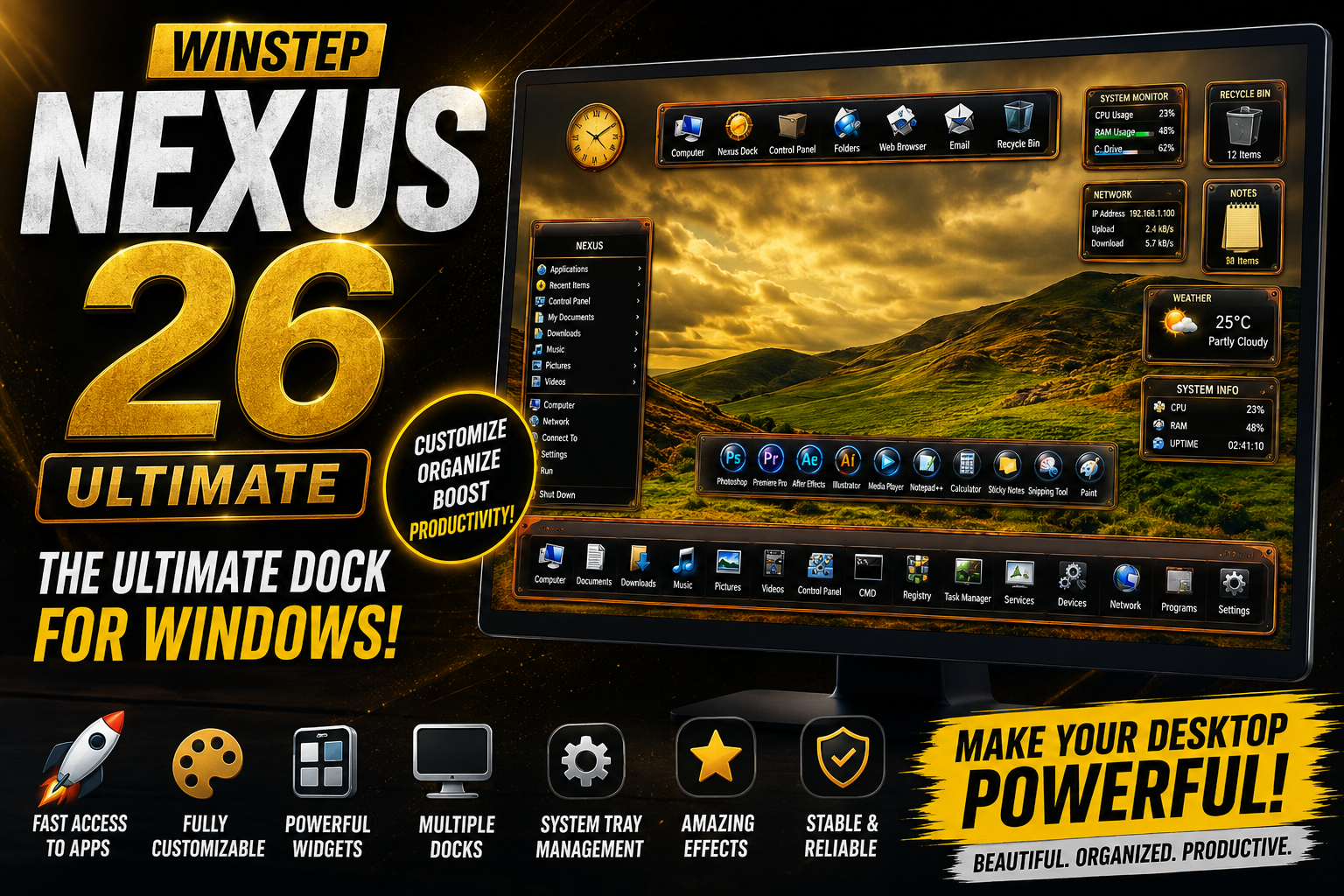
Winstep Nexus 26 is a powerful and highly customizable desktop dock designed to enhance the Windows user experience by providing fast and convenient access to frequently used applications folders files system utilities and shortcuts. It offers a modern and visually appealing interface with a wide range of customization options allowing users to personalize the appearance behavior icons animations and layout of their desktop environment.The software goes beyond a simple application launcher by providing useful productivity features such as multiple docks nested sub-docks system tray management widgets shelves drawers reminders alarms and system monitoring tools. Users can also take advantage of animated mouse-over effects live icon reflections high-DPI support multi-monitor compatibility and customizable themes. With its combination of attractive visual effects and practical organization features Winstep Nexus 26 provides an efficient way to reduce desktop clutter organize frequently accessed resources and improve overall workflow on Windows systems.
For more information : official website
Key Features
- Customizable Dock Personalize icons, shortcuts, themes, effects, and dock appearance.
- Animated Effects Enjoy zoom, bounce, swing, launch, attention, and delete animations.
- Multi-Monitor Support Use Nexus across multiple displays.
- High-DPI Support Designed to work with high-resolution screens.
- Multiple Docks Create separate docks for different applications and workflows.
- Live Reflections Add animated reflections and water-like visual effects.
- Animated Icons Supports animated application and shortcut icons.
- Task Management Display running applications with grouping and filtering options.
- System Tray Display system tray icons individually or as grouped icons.
- Theme Switching Quickly change the dock appearance using available themes.
- Nested Sub-Docks Organize shortcuts into unlimited levels of sub-docks.
- Grid Stacks Quickly access folders, downloads, and other content.
- Widgets Includes useful modules such as weather, clock, CPU, RAM, network, and recycle bin tools.
Supported Functions
- Application Launcher: Launch frequently used applications from a convenient dock.
- Window Management: Minimize active windows directly to the dock.
- Folder Access: Access folders, downloads, desktop, Control Panel, and system locations.
- System Monitoring: Display CPU, RAM, network, battery, and other system information.
- Reminders: Create alarms, scheduled tasks, and reminders.
- System Tray Management: Customize and organize system tray icons.
- Shelf Support: Categorize applications and shortcuts into user-defined tabs.
- Drawers: Display folders and system content with icons and labels.
- Virtual Folders: Add My Computer and other virtual system locations to shelves.
- Mouse-Over Effects: Apply different visual effects when interacting with dock items.
- Shortcut Customization: Replace icons quickly by dragging PNG or ICO files onto them.
Technical Setup Details
- Software Full Name: Winstep Nexus 26
- Setup File Name: Winstep_Nexus_Ultimate_26.rar
- Setup Size: 62 MB
- Application Type: Offline Installer / Full Standalone Setup
- Compatibility Architecture: 64Bit (x64) / 32Bit (x86
System Requirements
- Operating System: Windows 7, Windows 8, Windows 8.1, Windows 10, or Windows 11
- Memory (RAM): 2 GB RAM required
- Hard Disk Space: 120 MB of free space required
- Processor: Intel Pentium i3, multi-core processor or higher
- Architecture: 32-bit or 64-bit compatible system
How to Install Nexus Ultimate
- Extract the downloaded archive using WinRAR, WinZip, or Windows built-in extraction tool.
- Open the extracted Winstep Nexus folder.
- Run the setup installer.
- Accept the software license agreement.
- Select the preferred installation location.
- Click the Install button to begin the setup process.
- Wait until the installation is completed successfully.
- Launch Winstep Nexus 26 from the Start Menu or desktop shortcut.
- Customize the dock, icons, themes, and widgets according to your preferences.
- Start using Nexus to organize and quickly access your Windows applications.
Winstep Nexus 26 is a flexible desktop customization and productivity solution for Windows users. With multiple docks animated effects widgets shelves drawers system monitoring tools and extensive customization options it provides a convenient way to organize applications and improve desktop navigatio.
Read Also : AquaSoft Stages